7 Top Lower Thirds Examples for Pro Videos in 2026
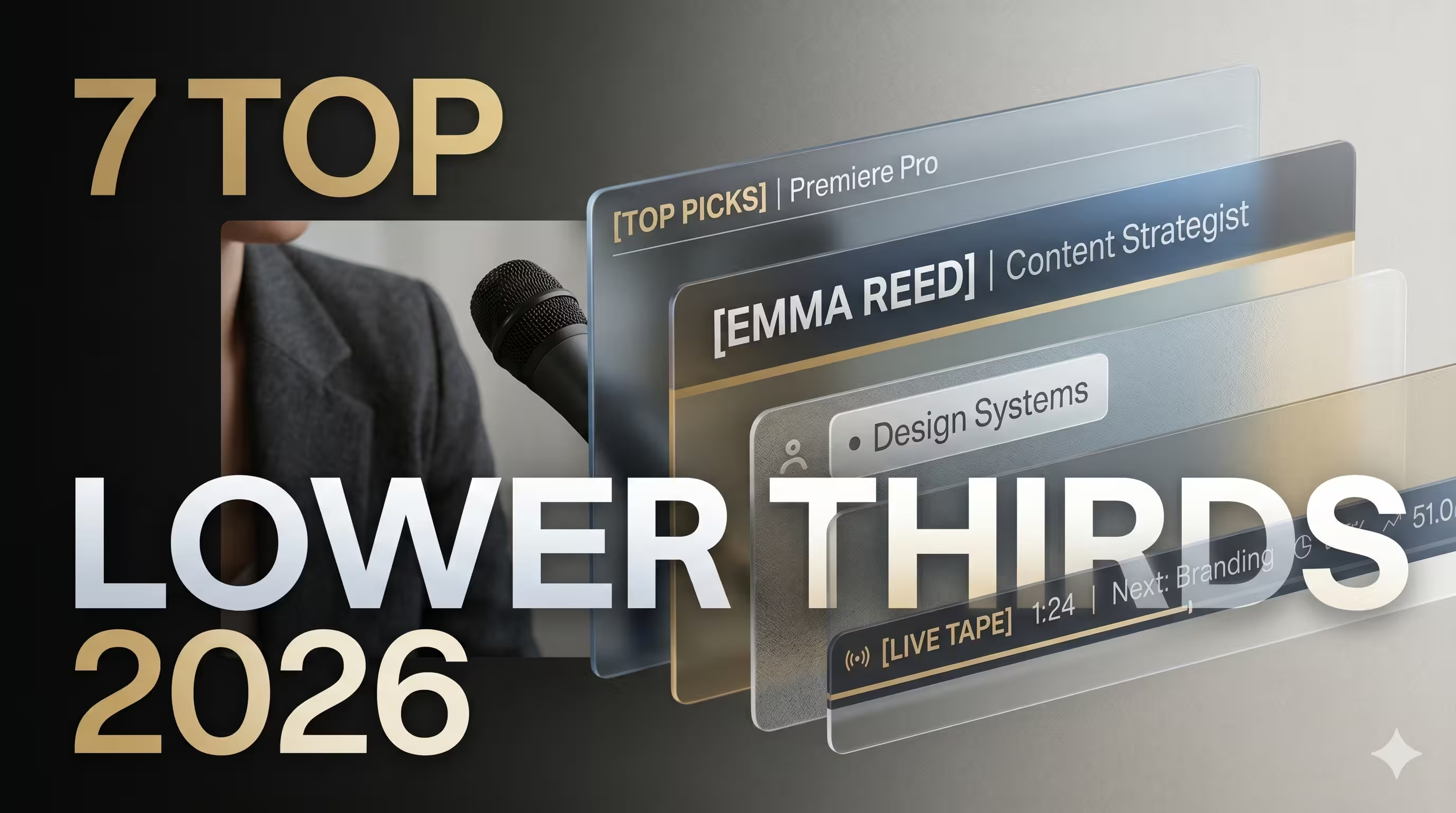
Is your video podcast missing polish even though the camera, lighting, and edit already look solid? The gap is often not the footage. It is the layer that tells viewers how to read the frame. Lower thirds do that job.
They are no longer just name tags. In professional video production, lower thirds have become a standard visual system used across news, documentaries, sports, interviews, webinars, and online video. They can identify speakers, reinforce brand identity, introduce topics, and carry live information without covering the core action, as outlined in the background on lower thirds in professional production. On digital platforms, they also pull double duty as calls to action, branded overlays, and guidance for viewers across YouTube, Twitch, Vimeo, webinars, and live streams, as noted in No Film School’s overview of how lower thirds function across online video.
That shift matters for brand teams and executive content. A lower third tells the audience whether they are watching a polished thought leadership show, a webinar cut together in a rush, or a video podcast with an actual visual identity. The difference is rarely complexity. It is fit. The right style has to match the speaker, the platform, and the message.
Below are seven lower thirds examples worth studying. Some are full-service solutions. Some are template libraries. A few are best when you need speed. Others are better when you need a premium finish and total control. The useful question is not “which one looks coolest?” It is “which one supports the brand I am trying to build?”
1. The Full-Service Solution micDrop's Integrated Branding
What happens when lower thirds are built as part of the show, instead of picked from a marketplace after the edit is already underway?
That choice changes more than aesthetics. It affects approval speed, episode consistency, how well the graphics hold up across formats, and whether the finished piece feels like a real brand asset or a patched-together video. micDrop works best for teams that want lower thirds tied to the full production system, not treated as a separate design file.
Why this approach produces stronger lower thirds
It is common for in-house marketing teams and fast-moving content teams to treat lower thirds as an isolated graphic task. In production, that usually creates avoidable problems. A lower third has to work with framing, subtitle placement, pacing, brand colors, speaker hierarchy, and the final destination for the cut.
That is where template picks often break down in real use:
- Brand fit slips: Clean in the preview. Off-brand in the episode.
- Frame placement gets messy: A graphic can clash with captions, crop poorly on vertical versions, or sit awkwardly against the subject.
- Series consistency erodes: Different editors make small changes over time, and the package stops feeling unified.
micDrop addresses that by building lower thirds with the rest of the show package. The same team handles the visual system across intros, outros, overlays, edit rhythm, and final delivery. If you want the broader production context, micDrop’s guide to corporate video production services shows how that workflow is structured.
What stands out in practice
A key advantage is consistency under production pressure.
- One visual language: Lower thirds, transitions, and branded overlays are designed to belong together.
- Producer-led execution: A producer keeps design choices, approvals, and revisions aligned across episodes.
- Multi-platform output: Graphics are prepared for YouTube, LinkedIn, TikTok, and other distribution formats without breaking the composition.
- Less weekly cleanup: Editors spend less time fixing template quirks, replacing fonts, or adjusting animations by hand.
This matters most on repeatable series. Weekly executive interviews, branded podcasts, customer stories, and internal thought leadership all benefit from a system that can survive volume without drifting.
One production detail gets missed too often. Lower thirds also need to stay legible on phones, in square and vertical crops, and under different subtitle treatments. Many tutorials stop at style. Teams publishing across channels need graphics that still read clearly after repurposing.
The best lower thirds examples are not standalone graphics. They are systems built to survive recurring production, clip repurposing, and brand review.
Best fit and trade-offs
micDrop makes sense when:
- You publish on a schedule: Ongoing series get more value from a repeatable branded package.
- Audience perception matters: Executive content and thought leadership need polish that feels intentional.
- Your team wants speed at the approval stage: It is faster to review a system than rebuild one each episode.
It is less suitable when:
- You need a single downloadable asset: A template marketplace is usually the cheaper route.
- Your editor wants full DIY control: Libraries offer more room for casual experimentation.
For teams comparing lower thirds examples by brand outcome, not just visual style, this is the strongest option in the list. The trade-off is simple. You get less template-level tinkering and more strategic control over how the show is perceived.
2. The All-You-Can-Create Library Envato Elements
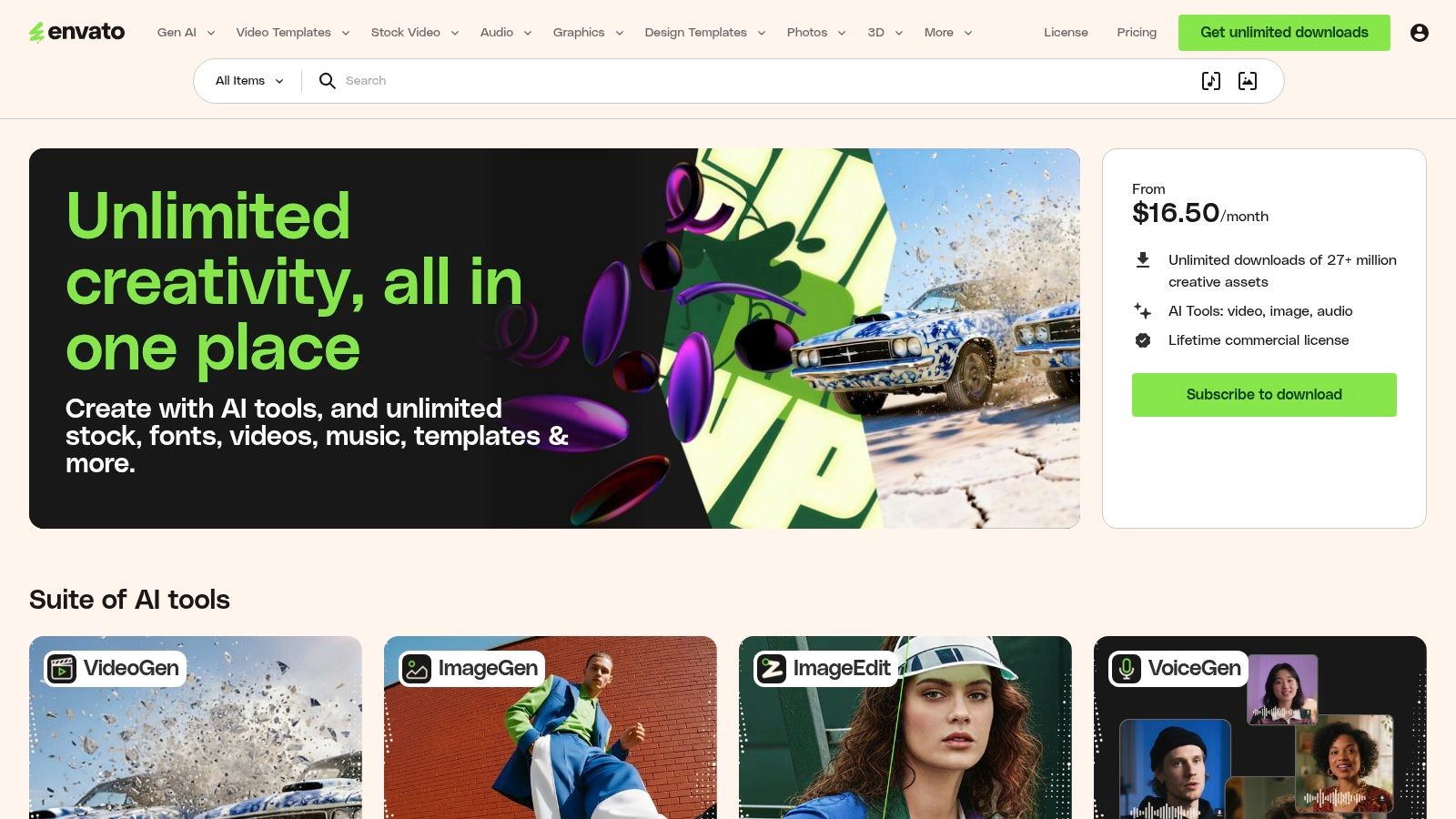
Envato Elements is what I point people to when volume matters more than curation. If your team cuts a lot of client work, campaign videos, internal comms, and podcast clips, the library size is the main draw.
You can find lower thirds for Premiere Pro, After Effects, DaVinci Resolve, and Final Cut Pro. That matters for agencies and in-house teams with mixed editing stacks.
Where Envato is strongest
Envato is useful when you need options fast. Not one polished pack. Options.
- Huge variety: Corporate, minimal, futuristic, news-style, social-first, documentary, and event graphics all live in the same ecosystem.
- Unlimited download model: Heavy users benefit most.
- Cross-software coverage: Helpful when editors are not all working in the same NLE.
For teams balancing podcast production with clipping and repurposing, the software side matters just as much as the templates. micDrop’s roundup of best podcast editing software is a useful companion if you are still deciding where those templates will reside.
The trade-off nobody mentions enough
Envato solves access. It does not solve taste.
The quality spread is wide. Some packs feel broadcast-ready. Others look dated, over-animated, or generic enough to appear in five competitors’ videos next week. You need someone on the team who can spot the difference.
One useful benchmark comes from an Envato Tuts+ case analysis of animated “Air Lined Lower Thirds.” It reported a 42% improvement in brand recall in post-viewing surveys, compared with static overlays, and also described stronger speaker-credential recall in the branded version, according to the Envato Tuts+ lower thirds analysis. That does not mean every animated pack on Envato will perform like that. It does show why motion style matters when the branding is intentional.
On Envato, restraint is a production skill. The platform gives you quantity. Your editor still has to choose something that fits the show.
Best fit and trade-offs
Choose Envato Elements when:
- You produce at high volume
- You want unlimited experimentation
- You need assets across multiple editing apps
Skip it if:
- You want a tightly curated premium look
- Your team does not have time to vet templates carefully
Website: Envato Elements
3. The Creator's Toolkit Motion Array
Motion Array feels more curated than chaotic. That is why many editors prefer it over bigger libraries, even if the total selection can feel narrower.
Its lower thirds catalog is broad enough for most modern use cases. You get clean corporate styles, interview graphics, podcast overlays, and more stylized options without digging through as much visual clutter. It also helps that Motion Array bundles stock footage, music, plugins, and review tools into the same subscription.
Why editors like it
For solo editors and lean teams, Motion Array works because the asset library connects to the rest of the workflow.
- Templates plus stock and music: Useful for full episode packaging.
- Review tools: Easier approval cycles for teams and clients.
- Cleaner browsing experience: Faster shortlisting than some larger marketplaces.
That ecosystem matters when lower thirds are only one piece of the edit. If you are producing intros, teaser clips, and speaker promos from the same raw footage, having multiple asset types under one roof reduces switching costs.
What to watch for
Motion Array is strongest when you want modern and usable, not hyper-specific.
If your brand needs a very distinct visual signature, you may still end up customizing heavily. Some packs feel polished but familiar. That is not always a problem. Familiar is often good in B2B video because viewers need clarity more than novelty.
A more strategic opportunity sits outside most template discussions. Lower thirds are increasingly useful as dynamic information layers, not just speaker IDs. That includes progressive credentials, contextual prompts, live metrics, or multilingual variations. This gap is highlighted in the University of Wisconsin brand resource discussion around lower third templates and the missing dynamic use cases. Motion Array can support that direction if your editor knows how to adapt templates, but the platform itself does not automatically make the strategy smarter.
Best fit and trade-offs
Motion Array is a strong option if:
- You want one subscription for multiple production needs
- You value better curation
- You work in a collaborative review cycle
It is less compelling if:
- You only need lower thirds and nothing else
- You need highly unusual styles every week
Website: Motion Array
4. The Premium & Polished Pick MotionVFX

MotionVFX is for teams that care less about volume and more about finish. Their packs tend to look like design systems, not random template bundles. That is the main reason they stand out in any serious list of lower thirds examples.
If you work in Final Cut Pro or DaVinci Resolve, MotionVFX is often the fastest path to a premium look without building graphics from scratch.
What MotionVFX gets right
The typography usually feels disciplined. The animation is smooth. The packs hold together visually.
That cohesion matters in a series. A good lower third should not feel like an import from another project. It should look like it belongs to the same world as your title cards and transitions.
- Cohesive packs: Better consistency across episodes.
- Broadcast-grade styling: Strong for executive interviews, branded docs, and polished YouTube shows.
- Reliable implementation: The installer and documentation are usually straightforward.
For anyone launching a show from the ground up, this kind of consistency saves rework later. micDrop’s guide on how to start a video podcast covers the broader setup decisions, and lower thirds belong in that planning phase, not as an afterthought after episode one is already live.
A notable limitation
MotionVFX is not cheap if you like variety. Their à la carte model works best when you know your visual direction and plan to stick with it.
That is often a good discipline. Too many teams change styles every few episodes and weaken recognition. Still, if you need multiple moods for different clients or campaigns, costs stack up faster than they do on subscription platforms.
MotionVFX is the pick when you want the audience to feel polish, not notice the template.
Best fit and trade-offs
Use MotionVFX when:
- You want a premium, cinematic finish
- You value cohesive packs over huge libraries
- Your workflow lives in Final Cut Pro or Resolve
Look elsewhere when:
- You need unlimited variety
- Your team edits primarily in Premiere Pro
Website: MotionVFX
5. The Natively Integrated Option Adobe Stock

Adobe Stock is the practical choice for editors who already live inside Premiere Pro and After Effects. The biggest benefit is not style. It is friction reduction.
You can search, license, and use motion graphics templates without leaving the Adobe environment. For teams already deep in Creative Cloud, that speeds up production more than a larger marketplace sometimes does.
Why Adobe Stock wins on workflow
The strongest lower thirds examples are often the ones you can deploy quickly and consistently. Adobe Stock helps because the workflow is so direct.
- Native integration: Search and pull templates from inside Adobe tools.
- Reliable MOGRT compatibility: Better fit for Premiere-heavy teams.
- Trusted licensing path: Useful for corporate and agency use.
If your editors already work with MOGRT files every day, Adobe Stock is one of the smoothest ways to add lower thirds without introducing another platform, another account, and another approval step.
Where it falls short
The library is not as expansive as dedicated template marketplaces. You will not get the same sense of endless variety you get with Envato. That is the trade.
In return, you get fewer surprises. The baseline quality is usually steadier, and the licensing story is easier to explain to legal or procurement teams.
One reason readable lower thirds matter so much in these workflows comes from a StudioBinder A/B test on a corporate interview series. It found a 27% uplift in viewer retention at the 30-second mark after optimized lower thirds were added, compared with versions without them, in the StudioBinder lower third test. That result should not be generalized blindly to every project, but it is a useful reminder that clean speaker identification is not cosmetic.
Best fit and trade-offs
Adobe Stock is a smart pick when:
- Your team works almost entirely in Adobe
- You want fewer workflow interruptions
- You need dependable commercial licensing
It is less appealing when:
- You want the biggest possible style library
- You prefer unlimited-download subscription economics
Website: Adobe Stock video templates
6. The Small Business Favorite Storyblocks
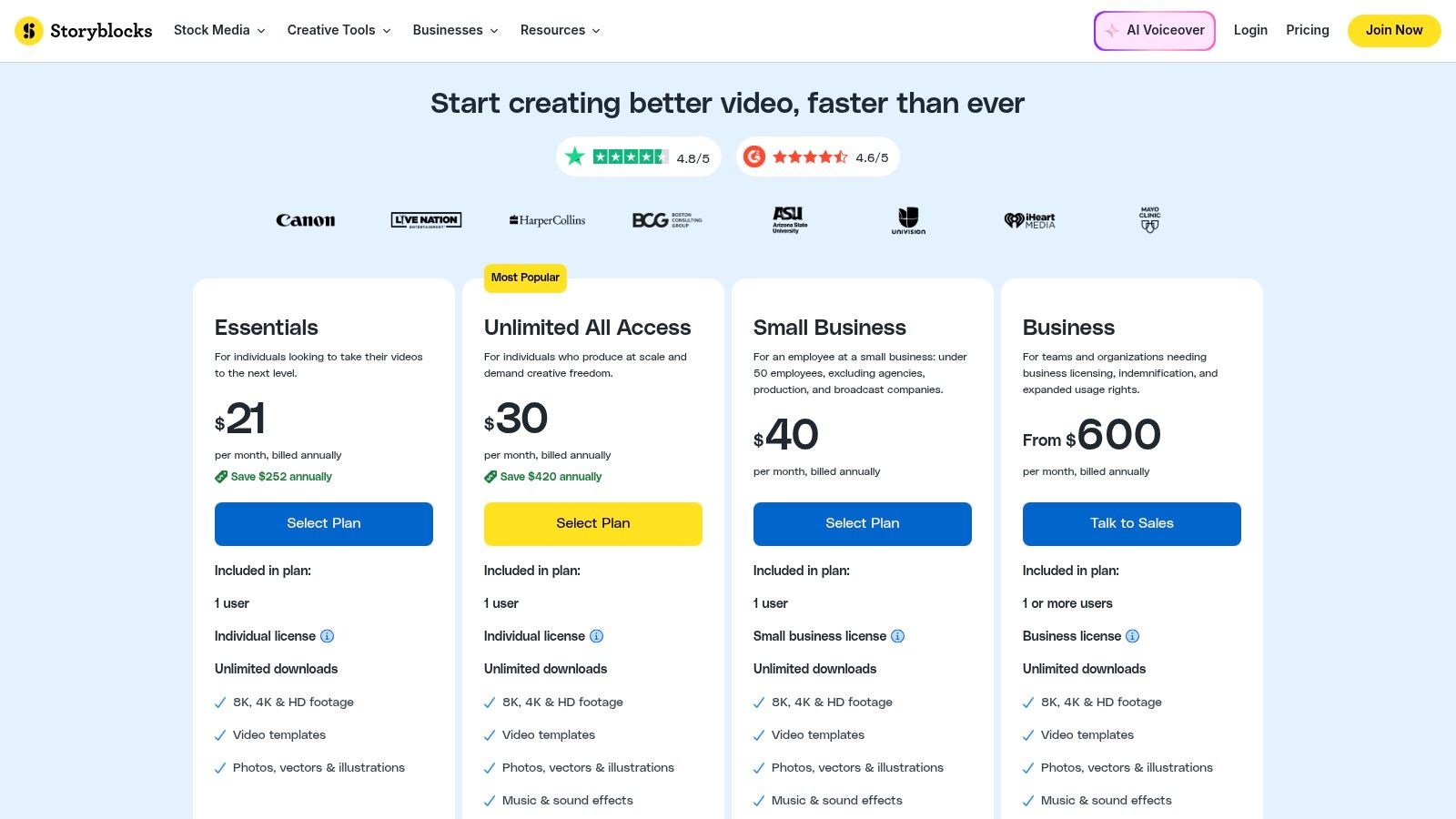
Storyblocks is often the most comfortable middle ground for small business teams. It has the subscription model people like, a sufficiently extensive template library, and licensing that is generally easier for non-specialist teams to understand.
That combination matters when marketing managers, brand teams, and occasional editors all touch video projects.
Where Storyblocks makes sense
Not every team needs a premium boutique marketplace. Many just need a usable branded lower third without spending half a day hunting for one.
Storyblocks works well for that scenario:
- Business-friendly licensing: Easier for internal teams.
- Unlimited downloads: Better than paying per asset if you produce regularly.
- Maker tool: Helpful when someone needs quick video assembly in the browser.
The browser editor is not a replacement for a full post-production workflow, but for simple projects it lowers the barrier for teams that do not have a dedicated editor on every job.
The limitation
Specialized visual identity is harder to build from broad libraries like this. You can create solid work. You may need more customization to make it feel proprietary.
That is not a flaw unique to Storyblocks. It is a common characteristic of general-purpose template ecosystems. They are optimized for speed and coverage. They are not optimized for distinctiveness.
For straightforward corporate, training, interview, and social content, that trade-off is often worth it. For flagship thought leadership content, it may not be.
Best fit and trade-offs
Storyblocks is a good choice if:
- You want predictable subscription costs
- Your team mixes simple and professional video work
- You value ease over design exclusivity
It is weaker if:
- You need highly original motion design
- Your editors want deeper craft control than browser-first workflows allow
Website: Storyblocks pricing
7. The A La Carte Marketplace Pond5
Pond5 is the practical answer when you need one lower third, not another subscription. That makes it useful for one-off brand films, occasional corporate edits, and teams that only dip into motion graphics when a specific project needs it.
It has a large marketplace of After Effects projects, which means the ceiling for customization is high if your team has the skill.
Where Pond5 earns its place
Some productions need a very particular style. Not a broad subscription library. Not a bundled platform. Just one effect or one pack that fits the brief.
Pond5 is strong in that use case:
- Pay-per-item buying: Good for occasional projects.
- Large After Effects selection: Helpful if you need deeper customization.
- Professional use cases: Strong fit for corporate, film, and broadcast-adjacent work.
This is one of the better places to look when the lower third needs to align with a more formal, high-stakes production style.
What the pay-per-item model means
The flexibility is good. The cost discipline is better. You only buy what you need.
The catch is technical. Many assets are After Effects projects rather than simple plug-and-play templates for less technical editors. If your team does not have AE confidence, even a good-looking pack can slow the job down.
That makes Pond5 less beginner-friendly than Adobe Stock or Storyblocks. But for editors who know how to work inside the project files, it remains a useful marketplace.
Best fit and trade-offs
Choose Pond5 when:
- You need a one-off purchase
- Your editor is comfortable in After Effects
- You want access to broadcast-style design options
Avoid it when:
- You need lots of assets over time
- Your team prefers simpler MOGRT-style implementation
Website: Pond5 lower thirds templates
Lower Thirds: Top 7 Comparison
From Template to Transformation Your Strategic Framework
What separates a lower third that builds authority from one that just fills space?
In our production work, weak lower thirds usually break down in four places. The style clashes with the brand. The timing interrupts the speaker. The motion draws attention to itself. The layout falls apart once the video is cropped for vertical or mobile viewing.
Better results come from better decisions, not extra flair.
1. Brand alignment shapes audience trust
A lower third gets repeated across episodes, clips, and channels. That repetition makes it part of the brand system, not a decorative add-on.
Match the graphic to the identity you already use:
- Typography: Use the brand typeface if the license and edit workflow support it. If not, choose a substitute with similar weight, spacing, and tone.
- Color palette: Pull exact values from the brand guide. Small color drift looks minor in one video and sloppy across a series.
- Logo use: Include a logo only if it remains clear at small sizes. A cramped mark in the corner rarely improves recall.
The strongest lower thirds examples feel native to the brand. They do not look dropped in from a template pack.
2. Animation should support the message
Motion has one job. Introduce information cleanly, then get out of the way.
Use animation with intent:
- Choose restrained entrances: Fades, wipes, and short slides work well for interviews, explainers, and executive content.
- Match motion to context: Product launches can handle more energy. Thought-leadership pieces usually need calmer movement.
- Set tight timing: If the lower third lingers after the viewer has read it, it starts competing with the subject.
A polished animation can improve recall and perceived production quality. It can also make a serious video feel amateur if the move is too flashy for the content.
If the audience notices the effect before they process the name or title, the graphic is overdesigned.
3. Readability beats visual novelty
Teams often choose a lower third for how it looks in a template preview. The true test happens on a phone, over live footage, with captions turned on.
Check these points before you lock the design:
- Contrast: Text has to stay legible over bright, dark, and busy backgrounds.
- Mobile size: Names and titles need to read quickly on small screens without pinching or zooming.
- Safe placement: Keep the graphic clear of platform UI, subtitle areas, and aggressive social crops.
- Text length: Plan for long names, job titles, multilingual versions, and dynamic fields before rollout.
Here, strategy matters more than aesthetics. A template can give you a look. It rarely gives you a system for responsive scaling, accessibility, or repeated use across formats.
4. Choose the sourcing model that fits your operation
The right lower third style also depends on how your team produces video. A solo creator, an in-house marketing team, and a branded show with weekly distribution do not need the same setup.
Use this filter:
- Service model: Best for brands that need consistency, approval control, and minimal internal production load.
- Subscription library: Best for teams producing a high volume of content and testing different styles often.
- Premium pack vendor: Best for projects where visual polish and design cohesion matter more than breadth.
- Marketplace purchase: Best for one-off jobs that need a specific asset without a recurring subscription.
This is the shift from collecting examples to building a repeatable system. Professional teams ask two questions at the same time. Does this style fit the brand, and can we execute it consistently under real deadlines?
For companies that care about authority, efficiency, and cross-platform consistency, a production partner often solves more problems than another download folder. As noted earlier, micDrop’s team approaches lower thirds as part of the full show package, which changes the decision from “Which template looks good?” to “Which system keeps every episode on-brand and usable everywhere?”


