Best Podcast Editing Software: Pro Tools for Every Creator in 2026
The gap between a raw recording and a polished, professional podcast is bridged by one critical choice: your editing software. With options ranging from simple, free tools to complex digital audio workstations (DAWs) used by studio pros, selecting the right one can feel overwhelming. This guide cuts through the noise, providing a detailed breakdown of the 12 best podcast editing software solutions available today.
We offer actionable insights for everyone, from solo creators launching their first show to enterprise-level brands producing video podcasts for a global audience. Our goal is to help you find the platform that matches your specific needs, technical skill, and budget.
Inside this comprehensive resource, you will find:
- Detailed analysis of each software, including Adobe Audition, Descript, and DaVinci Resolve.
- Direct links and screenshots to see each platform in action.
- Honest assessments of strengths and limitations for real-world workflows.
- Clear recommendations for different user types, like B2B marketers, agency teams, and independent producers.
Whether you're cleaning up remote interviews, editing multi-camera video podcasts, or simply starting your journey, this is your roadmap to a faster, better production process. We'll explore which software-or service-is the right fit for your workflow and ambitions, ensuring you make an informed decision without the guesswork.
1. Adobe Audition
Adobe Audition is a professional-grade digital audio workstation (DAW) that has become a benchmark for creators who demand granular control over every aspect of their sound. Part of the Adobe Creative Cloud suite, it’s far more than a simple track editor. It’s a complete audio finishing environment, making it some of the best podcast editing software for professionals who need to deliver broadcast-quality audio, especially when video is part of the production workflow.
What sets Audition apart is its seamless integration with Adobe Premiere Pro and After Effects. If you produce a video podcast, you can use the "round-trip" workflow to send your audio from Premiere directly to Audition for advanced cleanup, mixing, and mastering, then send it back without any rendering or file management headaches. This workflow is a significant time-saver for media teams and agencies.
Actionable Insight: Audition is the top choice for video podcasters and audio engineers who need powerful restoration tools. Use the "Essential Sound Panel" to apply dialogue-specific presets, instantly improving clarity and reducing background noise without needing deep audio engineering knowledge. This is a quick win for cleaner sound.
Key Features & Use Cases
- Essential Sound Panel: This feature simplifies complex mixing tasks. You can assign roles (like Dialogue, Music, Ambience) to your audio clips and use simple sliders to clean up noise, add compression, and meet loudness standards without deep technical knowledge.
- Spectral Frequency Display: This visual tool allows you to "see" your audio and surgically remove unwanted sounds like coughs, mic bumps, or background hums. It’s an indispensable tool for rescuing imperfect recordings.
- Multitrack Editing: Audition’s multitrack editor is where you’ll assemble your podcast-building segments, adding intro/outro music, sound effects, and guest interviews. For complex EQ adjustments, referencing an audio frequency chart for EQ settings can help you pinpoint and correct problem areas.
Pricing and Access
Adobe Audition is available via a subscription model through Adobe Creative Cloud. You can get it as a standalone app for approximately $22.99/month or as part of the full Creative Cloud suite, which includes Premiere Pro, Photoshop, and other apps, for around $59.99/month. This subscription-only access can be a drawback for those who prefer to own their software outright.
- Website: https://www.adobe.com/products/audition
- Pros: Powerful audio restoration, unmatched integration with Adobe video apps.
- Cons: Steep learning curve for beginners, subscription-only pricing model.
- Best For: Professional audio engineers, video podcasters, and content agencies.
2. Descript
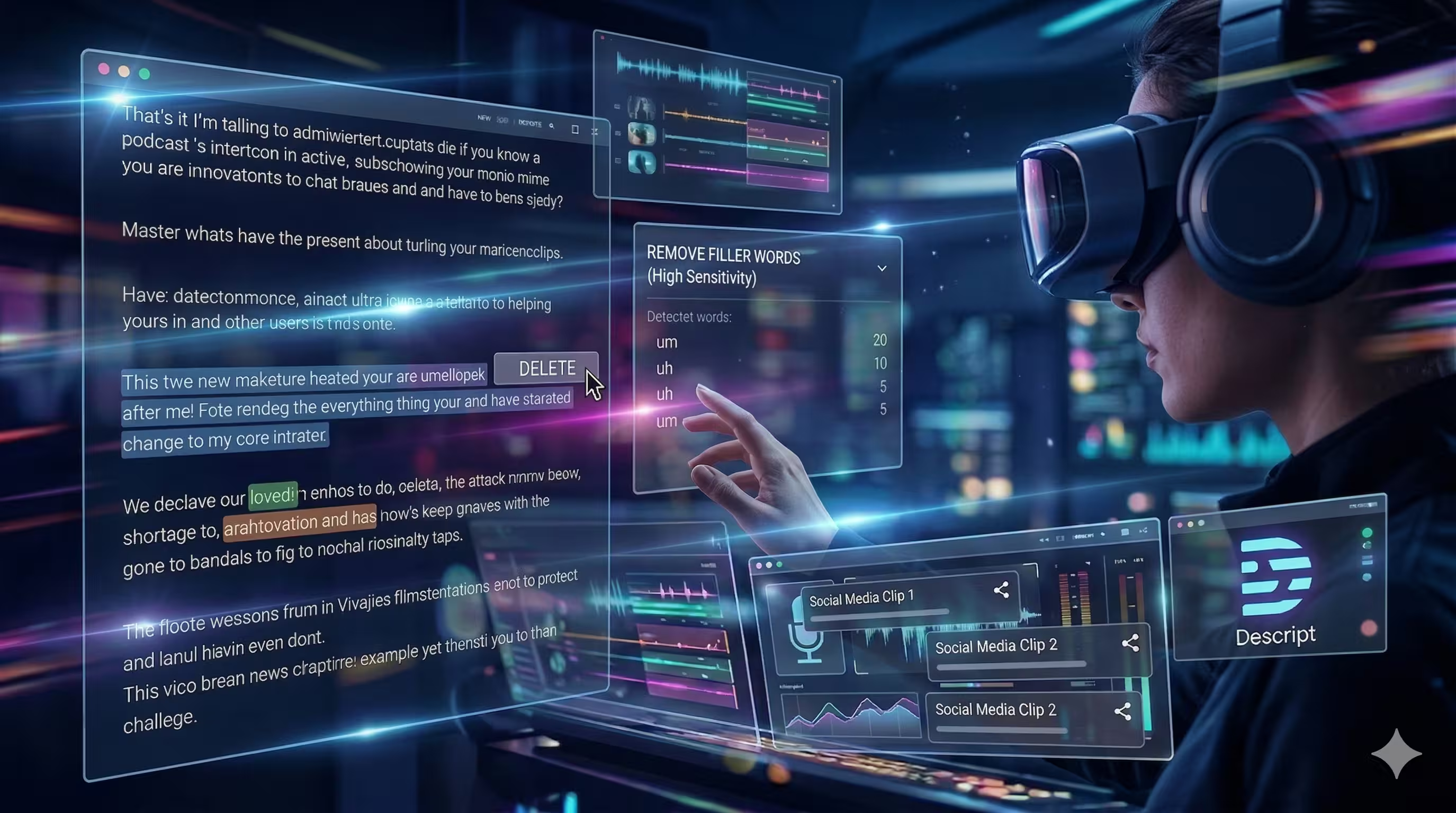
Descript fundamentally changes the podcast editing process by turning audio and video into an editable text document. This all-in-one, web-based platform automatically transcribes your recordings, allowing you to cut, copy, and paste your media just like you would in Google Docs. Deleting a sentence from the transcript instantly removes the corresponding audio and video, making it some of the best podcast editing software for content teams who prioritize speed and collaboration over traditional timeline editing.
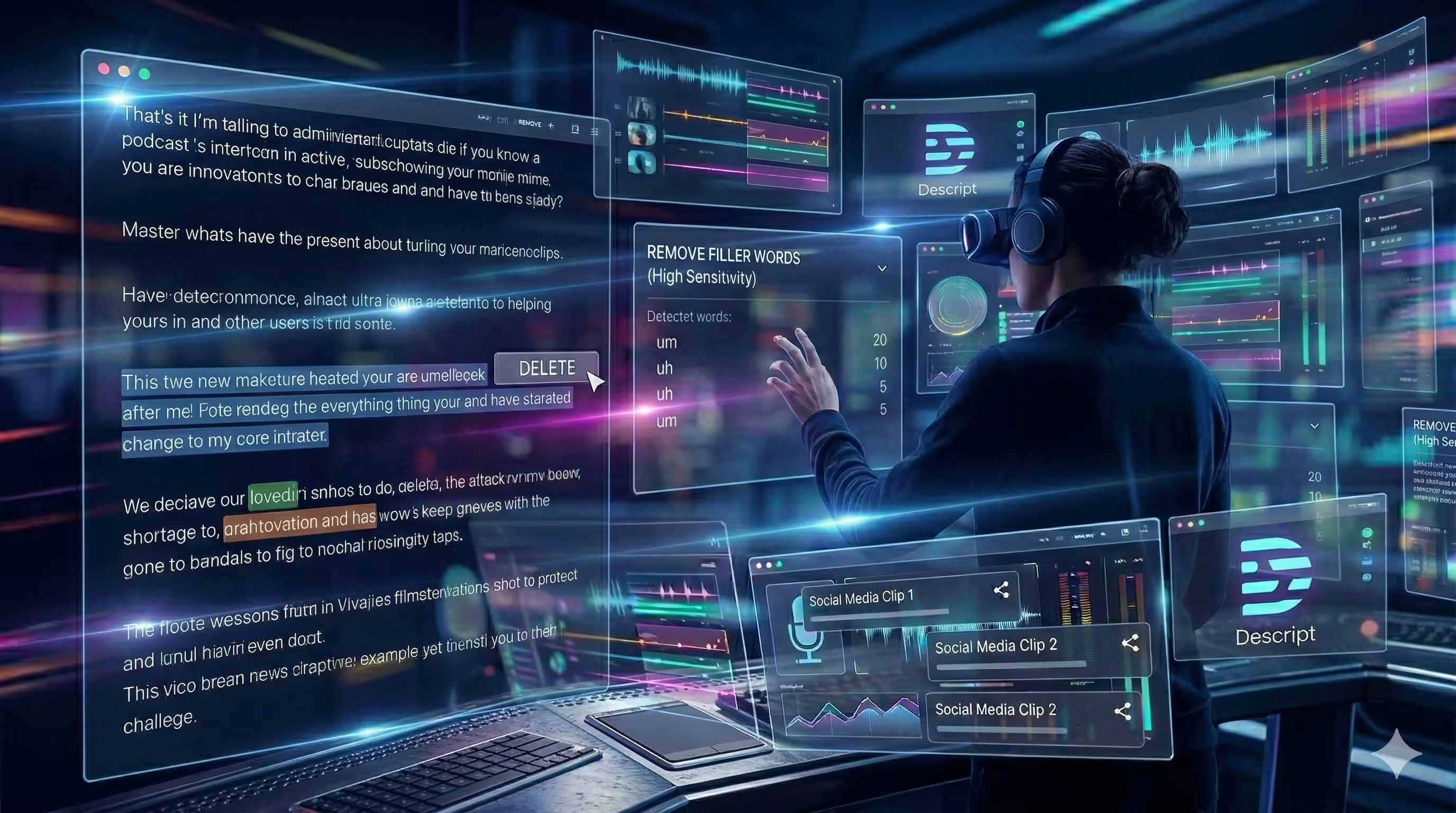
What makes Descript so effective is its focus on workflow efficiency. Instead of scrubbing through waveforms to find mistakes, you simply scan the text. The platform’s built-in AI tools can automatically detect and remove filler words like "um" and "uh" with a single click, saving hours of manual labor. This text-based approach is exceptionally intuitive for writers, producers, and marketers who may not be trained audio engineers.
Actionable Insight: Descript is ideal for narrative-driven podcasts and content repurposing. To maximize efficiency, edit the transcript for content first, then use the "Remove Filler Words" feature with a high detection sensitivity. Finally, highlight compelling sentences or paragraphs and use the "Make Clip" function to instantly create shareable video or audio snippets for social media.
Key Features & Use Cases
- Text-Based Editing: The core function lets you edit your podcast by editing its transcript. This is perfect for interview shows and narrative content where structuring the story is the main goal. Simply highlight and delete text to remove audio segments.
- Studio Sound: A one-click AI audio enhancement tool that isolates voices, removes background noise, and cancels echo. It dramatically improves the quality of recordings made in less-than-ideal environments, making it a lifesaver for remote interviews.
- Filler Word Removal & Overdub: Automatically find and delete all instances of filler words. The Overdub feature allows you to create a text-to-speech model of your own voice to correct misspoken words without having to re-record anything.
Pricing and Access
Descript offers a tiered subscription model, including a free plan with basic transcription and editing features. Paid plans unlock more advanced capabilities. The Creator plan is about $12/month per user, while the Pro plan is around $24/month, offering unlimited use of features like Studio Sound and Overdub. An Enterprise plan provides custom solutions for larger teams. This model makes it accessible for solo creators while scaling for professional teams.
- Website: https://www.descript.com/pricing
- Pros: Extremely fast for editing dialogue, powerful AI features, and strong collaboration tools.
- Cons: Transcript-first workflow can feel limiting for traditional audio editors, best features require a paid subscription.
- Best For: Content marketing teams, solo creators focused on narrative shows, and anyone who dislikes traditional audio timelines.
3. Hindenburg PRO 2
Hindenburg PRO 2 is a purpose-built digital audio workstation designed exclusively for spoken-word content like podcasts, audiobooks, and radio. Unlike traditional DAWs that cater to music production, Hindenburg focuses on simplifying and accelerating the storytelling workflow. It automates technical processes, allowing creators to concentrate on assembling their narrative rather than wrestling with complex audio settings, making it some of the best podcast editing software for journalists and narrative producers.
What makes Hindenburg stand out is its intelligent automation for dialogue. The software automatically sets levels and applies a voice profile to ensure clarity and consistency across different speakers and recordings. This feature is a game-changer for producers who frequently mix remote guest audio with in-studio recordings, saving significant time on manual leveling and compression.
Actionable Insight: Hindenburg is built for storytelling speed. Use the "Clipboard" feature as your organizational hub. Drag interesting soundbites, interviews, and music clips there. Then, assemble your episode by dragging them from the Clipboard into your main timeline. This keeps your best content organized and accessible, turning the editing process into narrative construction.
Key Features & Use Cases
- Automatic Leveling & Loudness: Upon importing audio clips, Hindenburg automatically analyzes and adjusts their loudness to meet broadcast standards. This "set it and forget it" approach ensures a balanced, professional-sounding final product.
- One-Click Publishing & Metadata: The software includes direct publishing integrations with major podcast hosts. You can input all your episode metadata-show notes, titles, and artwork-directly within the editor and publish your finished episode in a single step.
- Voice-Centric Tools: Features like the built-in transcription service (add-on) and the "Magic Levels" tool for balancing dialogue against music underscore its focus on spoken word. It’s designed for assembling stories quickly, not for complex musical arrangement.
Pricing and Access
Hindenburg PRO 2 is offered through several licensing options. A perpetual license is available for a one-time fee, and there are also monthly and annual subscriptions. Pricing details are customized based on user role (e.g., individual, business, education) and are typically presented after you begin the trial or purchase process on their site. This approach can make it tricky to compare costs upfront.
- Website: https://hindenburg.com/products
- Pros: Extremely fast workflow for spoken-word content, automatic loudness compliance.
- Cons: Limited tools for music production, pricing information is not immediately transparent.
- Best For: Narrative podcasters, journalists, audiobook producers, and educators.
4. REAPER
REAPER stands out as a powerful, lightweight, and incredibly flexible digital audio workstation (DAW) that has earned a loyal following in the podcasting community. Known for its stability, efficiency, and deep customization, it offers professional-grade features without the high price tag or system resource drain of many competitors. Its true strength lies in its configurability; users can tailor the interface, workflows, and even create custom actions through scripting, making it some of the best podcast editing software for technical-minded creators who want total control.
What makes REAPER a favorite for dialogue-heavy work is its robust ecosystem of community-driven templates and scripts. Once set up, these tools can automate repetitive tasks like removing silence, leveling multiple speakers, and applying processing chains. While the initial setup requires a hands-on approach, the long-term efficiency gains are significant, allowing for a highly optimized editing process that can rival more expensive systems.
Actionable Insight: REAPER excels with custom actions. To get started, download the SWS/S&M Extension. Then, create a custom action that combines "Trim silence from selected items" and "Normalize selected items to -16 LUFS-I." Assign this action to a single keyboard shortcut. Now, you can clean up and level all your dialogue tracks in seconds.
Key Features & Use Cases
- Extreme Customization: Nearly every aspect of REAPER's interface and workflow can be modified. You can create custom toolbars, keyboard shortcuts, and macros to speed up your editing, which is perfect for building a podcast-specific workflow from the ground up.
- Scripting and Community Resources: The SWS/S&M Extension and ReaPack package manager open up a world of community-created scripts and actions. These can automate complex editing tasks, a huge benefit for podcasters looking to streamline post-production. You can learn more about this by diving into a guide on editing with REAPER.
- Lightweight and Portable: REAPER has a tiny installer and can run from a portable USB drive, making it excellent for creators who work on multiple machines or have modest hardware. Its efficiency ensures smooth performance even with many tracks and effects.
Pricing and Access
REAPER offers a refreshingly simple and affordable licensing model. A discounted license for personal use, non-profits, or small businesses (making under $20,000 annually) is just $60. A full commercial license costs $225. Both licenses include a full-featured 60-day free trial, updates through two full version numbers, and are a one-time purchase, not a subscription.
- Website: https://www.cockos.com/reaper/purchase.php
- Pros: Incredible value for the price, highly stable and resource-efficient.
- Cons: Steep initial learning curve, "DIY" feel requires user configuration for optimal use.
- Best For: Budget-conscious creators, technical users, and anyone wanting a fully customized workflow.
5. Audacity
Audacity is a free, open-source digital audio workstation (DAW) that has served as the entry point for countless podcasters. Its cross-platform availability and zero-cost barrier make it a foundational tool for learning the fundamentals of audio editing. While it may not have the polished interface or automated features of its paid counterparts, it provides a surprisingly robust set of tools for recording, editing, and mixing, making it some of the best podcast editing software for beginners or creators on a tight budget.
What makes Audacity so enduring is its simplicity and community-driven support. For basic tasks like trimming dead air, arranging segments, and applying simple effects like noise reduction or compression, it’s remarkably effective. Recent updates have introduced quality-of-life improvements and even cloud-saving options, demonstrating its continued development. It's a workhorse for straightforward audio production without the financial commitment of professional-grade software.
Actionable Insight: Audacity is the ideal starting point to learn core editing principles. Use the "Noise Reduction" effect in a two-step process: first, select a few seconds of pure background noise and click "Get Noise Profile." Then, select your entire voice track and apply the reduction. This simple action is the single most effective way to improve audio quality in Audacity.
Key Features & Use Cases
- Multitrack Audio Editing: You can easily record and mix multiple tracks, such as a host voiceover, guest audio, and intro music. This is essential for assembling a standard podcast format and balancing different audio sources.
- Built-in Effects and Plug-in Support: Audacity comes with a range of effects like Noise Reduction, Compressor, and Equalization. It also supports VST and AU plug-ins, allowing you to expand its capabilities with third-party tools for more advanced processing.
- Destructive and Non-Destructive Editing: While Audacity is primarily a destructive editor (changes are written directly to the audio file), newer versions offer non-destructive capabilities, providing more flexibility. For a step-by-step guide, see this tutorial on editing a podcast in Audacity.
Pricing and Access
Audacity is completely free to download and use for everyone. As open-source software, there are no subscriptions, fees, or hidden costs. It is maintained by a community of volunteers and is available for Windows, macOS, and Linux operating systems.
- Website: https://www.audacityteam.org
- Pros: Completely free and open-source, lightweight and runs on most computers.
- Cons: Outdated user interface, lacks advanced restoration tools and professional workflow features.
- Best For: Beginners, hobbyist podcasters, and anyone needing a quick, free tool for basic audio edits.
6. iZotope RX 11
While not a full-fledged editor, iZotope RX 11 is an industry-standard audio repair suite that functions as an indispensable partner to your primary DAW. It’s the tool professionals turn to when recordings are plagued by background noise, reverb from an untreated room, or harsh plosives. Think of it less as a construction tool and more as a powerful restoration toolkit, making it some of the best podcast editing software for rescuing imperfect audio before the main edit even begins.
What makes RX 11 so critical is its ability to salvage recordings that would otherwise be unusable. Remote interviews conducted over Zoom or in echoey rooms can be cleaned up significantly with its De-reverb and Dialogue Isolate modules. The software can operate as a standalone spectral editor for surgical repairs or as a set of plug-ins directly within DAWs like Audition or Audacity, providing a flexible workflow for any podcaster.
Actionable Insight: RX 11 is an essential add-on for serious podcasters. For remote interviews, immediately run the guest's track through the "Dialogue Isolate" module. This AI tool separates their voice from background noise and room echo. Even a modest setting can make a low-quality recording sound professional and save an interview that would otherwise be unusable.
Key Features & Use Cases
- Repair Assistant: This AI-powered feature analyzes your audio and automatically suggests a repair chain to address common problems like hum, clicks, and noise. It’s a fantastic starting point for users who are new to audio restoration.
- Spectral Editor: Similar to Audition's tool, the spectral display allows you to visually identify and remove unwanted sounds like a dog bark or a phone notification. It offers surgical precision that standard waveform editors cannot match.
- Dialogue Isolate: This module intelligently separates spoken dialogue from complex background noise. It's a game-changer for cleaning up on-location interviews or guest recordings from subpar environments.
Pricing and Access
iZotope offers RX 11 in several tiers. RX Elements provides the essentials for around $129. RX Standard adds more powerful modules like Dialogue Isolate for about $399. RX Advanced is the full professional suite, priced at approximately $1,199. These are perpetual licenses, meaning you own the software, though upgrade pricing is available for new versions.
- Website: https://www.izotope.com/en/products/rx
- Pros: Best-in-class audio repair tools, can save takes that would otherwise require re-recording.
- Cons: Adds significant cost on top of your main DAW, spectral workflows have a learning curve.
- Best For: Podcasters recording remote guests, audio engineers, and anyone prioritizing audio quality.
7. Auphonic
Auphonic is not a traditional editor but an intelligent, AI-assisted audio post-production service. It’s designed to be the final step in your workflow, automatically handling complex tasks like leveling, noise reduction, and loudness normalization. For podcasters who have completed their structural edits but need a fast, consistent, and professional-sounding finish, Auphonic acts as an automated audio engineer. It ensures every episode meets broadcast standards without manual tweaking.
What makes Auphonic a key tool is its "set-and-forget" nature. You upload your mixed-down audio file, select a preset (e.g., Podcast, Broadcast), and let its algorithms analyze and process the audio. It balances levels between different speakers, music, and sound effects, removes background hum and hiss, and masters the final file to the correct LUFS (Loudness Units Full Scale) for platforms like Spotify and Apple Podcasts.
Actionable Insight: Auphonic is perfect for automating your final master. To save maximum time, connect Auphonic directly to your Dropbox or Google Drive. Set up a preset with your desired loudness target (-16 LUFS for stereo podcasts) and noise reduction settings. Now, simply save your edited episode to a specific folder, and Auphonic will automatically process it and deliver the final file back to you.
Key Features & Use Cases
- Intelligent Leveler: This feature automatically balances the volume of different speakers, intro music, and other audio elements, creating a smooth and consistent listening experience without manual volume automation.
- Loudness Normalization & Targeting: Auphonic normalizes your audio to specific loudness standards (e.g., -16 LUFS for stereo podcasts). This prevents listeners from constantly adjusting their volume and ensures your show sounds professional across all platforms.
- API and Integrations: It connects directly with various podcast hosts, cloud storage services (like Dropbox), and other tools. This allows for fully automated workflows where edited files are processed and published without manual intervention, a huge benefit for networks and agencies.
Pricing and Access
Auphonic operates on a credit-based model. You receive up to two hours of processed audio for free each month. Beyond that, you can purchase one-time credits or subscribe to a monthly plan. For example, a recurring plan of $13/month provides 11 hours of audio processing. This flexible pricing is great for users with fluctuating output but can be less predictable than a flat-rate subscription.
- Website: https://auphonic.com/pricing
- Pros: Excellent for automated final mastering, easy to integrate into publishing workflows.
- Cons: Credit-based pricing can be confusing, offers less granular control than a dedicated DAW.
- Best For: Solo creators and teams needing a fast mastering solution, and agencies automating production pipelines.
8. Adobe Premiere Pro
While primarily a professional video editor, Adobe Premiere Pro has earned its place as some of the best podcast editing software for creators whose shows are video-first. Used widely for YouTube content and branded video, it offers a complete production environment. For video podcasters, it brings together multicam editing, automated captions, robust audio mixing tools, and motion graphics into one powerful non-linear editor.
Premiere Pro’s strength lies in its ecosystem. The tight integration with Adobe Audition for audio cleanup and After Effects for advanced graphics creates a seamless post-production pipeline. This is a massive benefit for agencies and content teams that need to produce long-form shows and then repurpose them into short-form clips for social media, all within a unified workflow.
Actionable Insight: Premiere Pro is the industry standard for video podcasters. Leverage the "Text-Based Editing" feature to get an automatic transcription of your entire timeline. Instead of scrubbing to find a good quote for a social clip, simply search the text for a keyword, highlight the desired sentence, and use the "Create Sequence" button to instantly generate a new, edited video clip ready for export.
Key Features & Use Cases
- Multicam Editing: This feature is essential for podcasts with multiple camera angles. You can sync clips based on audio and switch between angles in real-time, drastically speeding up the editing process for interview-style shows.
- Essential Sound Panel & Audition Round-trip: While not as deep as Audition’s, Premiere's own Essential Sound panel handles basic audio mixing. For serious work, the “Edit in Audition” command sends your audio for advanced restoration and mastering, then brings it back to your video timeline perfectly in sync.
- Captions & Transcription: Premiere Pro can auto-transcribe your video timeline to create searchable transcripts and captions. This is a huge time-saver for creating accessible content and for finding key moments in long interviews to create social media clips.
Pricing and Access
Adobe Premiere Pro is available through the Creative Cloud subscription model. You can subscribe to Premiere Pro as a single app for approximately $22.99/month or get it as part of the complete Creative Cloud suite for around $59.99/month, which includes Audition, After Effects, and Photoshop.
- Website: https://www.adobe.com/products/premiere
- Pros: Complete end-to-end video pipeline, widely used by agencies and professional teams.
- Cons: Subscription is required, has a heavier learning curve than simpler editors.
- Best For: Video podcasters, content agencies, and production teams.
9. DaVinci Resolve Studio
DaVinci Resolve has built its reputation in Hollywood as the go-to software for professional color grading, but its integrated Fairlight audio suite makes it a surprisingly powerful and complete solution for podcasters, especially those producing video-first content. Originally a high-end audio post-production console, Fairlight is now a full digital audio workstation (DAW) built directly into Resolve, offering recording, editing, mixing, and mastering tools in one unified interface. This all-in-one approach eliminates the need for round-tripping between different applications for video and audio.
What makes Resolve stand out is its exceptionally generous free version, which includes nearly all the professional audio tools a podcaster needs. For those willing to invest, the one-time purchase for the Studio version unlocks advanced AI-driven features that can dramatically speed up post-production, making it a favorite in professional production houses that value efficiency and a non-subscription model.
Actionable Insight: DaVinci Resolve is ideal for video podcasters who want an all-in-one tool. In the "Fairlight" page, apply the "Dialogue Leveler" effect to your main voice tracks. This automatically balances the volume of different speakers, ensuring a consistent listening experience without tedious manual adjustments. The free version includes this powerful tool.
Key Features & Use Cases
- Fairlight Audio Suite: This is a complete audio post-production environment within Resolve. You can manage multitrack recordings, apply effects, and mix your entire show without ever leaving the program. It supports a vast number of tracks and provides detailed EQ, dynamics, and panning controls.
- AI Voice Isolation (Studio): The paid Studio version includes a remarkable AI-powered tool that can isolate dialogue from noisy backgrounds. This is a game-changer for rescuing interviews recorded in imperfect environments, saving what might otherwise be unusable audio.
- Multicam and Text-Based Editing: For video podcasters, Resolve simplifies editing conversations with its strong multicam features. The text-based editing function, which generates a transcript and allows you to edit the video by editing the text, is a significant time-saver for interview-based shows.
Pricing and Access
DaVinci Resolve offers one of the most capable free versions of any creative software available. The paid DaVinci Resolve Studio is available for a one-time fee of $295, which includes all future updates. This one-time purchase is a compelling alternative to the subscription models common with other professional-grade software.
- Website: https://www.blackmagicdesign.com/products/davinciresolve
- Pros: Powerful integrated video and audio pipeline, exceptionally strong free tier, one-time purchase for the Studio version.
- Cons: The sheer breadth of tools can be overwhelming for beginners, key AI features are locked behind the paid version.
- Best For: Video podcasters, professional production teams, and creators seeking a non-subscription alternative.
10. Final Cut Pro
Final Cut Pro is Apple’s professional non-linear video editor, which might seem like an odd choice for an audio list. However, for the high volume of video podcasters working exclusively within the Apple ecosystem, its audio capabilities and optimized performance make it a surprisingly effective all-in-one solution. It stands out for its speed on Apple Silicon and a unique approach to media organization that can accelerate workflows for creators producing both audio and video content simultaneously.
Unlike traditional track-based editors, Final Cut Pro's Magnetic Timeline is built around storylines and roles. This allows you to assign specific audio roles like "Dialogue," "Music," or "Effects" to your clips. Once assigned, you can isolate, adjust, or export entire audio stems based on these roles, which is a massive advantage for mixing and delivering different versions of your podcast. This role-based system makes it some of the best podcast editing software for video-first creators on Mac who want to avoid round-tripping to a separate DAW.
Actionable Insight: For Mac-based video podcasters, use Final Cut Pro's "Roles" feature from the start. Assign the "Dialogue" role to all speaker tracks, "Music" to your intro/outro, and "Effects" to sound design. During mixing, you can then collapse the timeline to view only the Dialogue roles, making it easy to balance levels between speakers without visual clutter.
Key Features & Use Cases
- Roles-Based Audio Editing: Organize your timeline by assigning roles (dialogue, music, sound effects) to audio clips. You can then view and edit these roles as separate "lanes" or export them as distinct stems for advanced mixing or distribution.
- Transcript-Based Editing: On Macs with Apple Silicon, Final Cut Pro can automatically transcribe your video, allowing you to search for specific words or phrases and navigate directly to that point in the timeline. You can even edit the video by cutting and pasting text in the transcript.
- Magnetic Timeline: This unique editing interface prevents clip collisions and sync issues by automatically rippling clips to close gaps. For podcast editing, this simplifies arranging interview segments, ad spots, and musical intros.
Pricing and Access
Final Cut Pro is available as a one-time purchase from the Mac App Store for $299.99. This model is highly appealing to creators and small businesses who prefer to own their software outright rather than commit to a monthly subscription. Apple often includes major updates at no additional cost, adding significant long-term value.
- Website: https://apps.apple.com/us/app/final-cut-pro/id424389933
- Pros: Extremely fast performance on modern Macs, one-time purchase model is cost-effective long-term.
- Cons: Only available on macOS, collaboration features are less integrated than competing cloud ecosystems.
- Best For: Solo video podcasters, content creators on Mac, and small media teams invested in the Apple ecosystem.
11. Podcastle
Podcastle is a browser-first production studio that packages remote recording, editing, and AI-powered cleanup into one accessible platform. It’s designed for creators who want to produce a professional-sounding podcast quickly, without getting bogged down by the technical complexities of traditional desktop software. Its core strength lies in making collaboration and post-production fast and intuitive, particularly for interview-based shows.
What makes Podcastle a standout option in the web-based category is its text-based editing workflow. After recording, the platform automatically transcribes your audio and video, allowing you to edit your entire episode by simply deleting words and sentences from the transcript. This approach dramatically lowers the barrier to entry, making it some of the best podcast editing software for teams and individuals who are more comfortable working with text than with audio waveforms.
Actionable Insight: Podcastle is an all-in-one solution for fast production. Use the remote recording studio to capture separate tracks, then immediately apply "Magic Dust" to clean up the audio. Next, use the text-based editor to remove filler words in one click. This three-step process takes you from raw recording to a polished edit in minutes, all within the same browser tab.
Key Features & Use Cases
- Remote Multitrack Recording: Invite guests to a recording session with a simple link. Podcastle captures high-quality, separate audio and video tracks for each participant locally, which helps avoid issues with poor internet connections.
- Text-Based Editing: Edit your podcast as if it were a document. The platform automatically detects and highlights filler words like "um" and "uh," allowing you to remove them with a single click. This is a massive time-saver for cleaning up conversational interviews.
- AI Tools & Collaboration: Podcastle includes its "Magic Dust" feature for one-click noise reduction and audio sweetening. It also offers team workspaces, allowing producers or stakeholders to leave comments and review episodes without needing to download any software.
Pricing and Access
Podcastle offers a tiered pricing model, including a free plan with limited features, making it accessible for those just starting. The "Storyteller" plan is around $14.99/month, offering more recording hours and advanced features. The "Pro" plan, at approximately $29.99/month, unlocks unlimited recording and transcription, catering to more frequent creators and teams.
- Website: https://podcastle.ai/pricing
- Pros: Very low friction for guests, intuitive text-based editing, strong all-in-one feature set for beginners.
- Cons: Less creative control than a full DAW, AI features can sometimes be imperfect.
- Best For: Solo creators, small teams, and anyone prioritizing a fast, simple production workflow.
12. Adobe Podcast
Adobe Podcast is a web-based toolset designed to simplify the front-end of podcast production, focusing on high-quality remote recording and AI-powered audio cleanup. It's not a full digital audio workstation like its sibling, Audition, but rather a streamlined solution for capturing interviews and polishing voice tracks before they enter a more detailed editing phase. This makes it some of the best podcast editing software for creators who need clean audio fast, without a steep learning curve.
The platform shines with its "Studio" feature for remote recording, which captures separate, uncompressed WAV files for each speaker, preventing the quality loss common with standard video conferencing tools. Its main attraction, "Enhance Speech," uses AI to remove background noise and echo, making amateur recordings sound remarkably professional with a single click.
Actionable Insight: Adobe Podcast is a powerful pre-production tool. Use its free "Enhance Speech" feature as your first step after any remote recording, even if you plan to edit in another program. Drag and drop your guest's audio file, let the AI clean it, then download the enhanced version. This single step can dramatically improve the quality of your raw materials before you even start editing.
Key Features & Use Cases
- Enhance Speech: This AI tool is the star of the show. You can upload an audio file and let Adobe’s algorithm remove noise, de-reverb the track, and balance frequencies to make it sound like it was recorded in a studio. The adjustable strength lets you control the intensity of the effect.
- Remote Recording Studio: Invite up to four guests to a recording session in your browser. The platform records a separate high-quality audio track for each participant, which is critical for achieving a clean mix in post-production.
- Transcription-Based Editing: Adobe Podcast generates a transcript of your recording, allowing you to edit the audio by simply deleting words or sentences in the text. This is a fast way to remove filler words and mistakes before exporting.
Pricing and Access
Adobe Podcast offers a free plan that includes limited use of Enhance Speech and Mic Check. The paid "Express" plan, which is part of the Adobe Express Premium subscription at approximately $9.99/month, provides higher limits on enhancement, more transcription hours, and bulk file processing. While the core features are accessible, heavy users will need the premium plan.
- Website: https://podcast.adobe.com/plans
- Pros: Simple, browser-based capture and cleanup; natural fit with the Adobe editing ecosystem.
- Cons: Not a full editor for post-production; premium plan required for higher limits.
- Best For: Solo creators, marketers, and teams needing a simple tool for remote recording and audio cleanup.
Top 12 Podcast Editing Software Comparison
From Raw Recording to Audience-Ready: Your Next Step
You have journeyed through a detailed map of the podcast editing software world, from the audio-first precision of Adobe Audition to the video-centric power of DaVinci Resolve. We've explored AI-driven tools like Descript and Adobe Podcast that are changing the definition of "editing," and reliable workhorses like Audacity that remain essential for many creators. The key realization is that the title of "best podcast editing software" isn't a universal crown; it's a personal fit, unique to your specific production reality.
The sheer volume of options can feel overwhelming, but this choice is a critical inflection point for your show. It dictates the efficiency of your workflow, the quality of your final product, and ultimately, the amount of time you spend in the editor's chair versus engaging with your audience. The right software feels less like a technical barrier and more like a creative partner.
Synthesizing Your Decision: A Practical Framework
To move from analysis to action, let's distill the core decision-making factors. Your choice should not be based on which tool has the most features, but on which tool has the right features for your immediate and near-future needs.
Consider these three primary pillars:
- Your Current Skill Level and Team Structure:
- Solo Creator (Beginner): Start with tools that have a low barrier to entry and a strong community for support. Audacity is the classic free starting point. Descript or Podcastle are excellent if you're more comfortable with text-based editing and want a gentle introduction to audio enhancement.
- Small Team or Agency: Your needs center on collaboration and efficiency. A tool like Descript shines here, with its comment features and web-based access. For more complex audio work, a team license for Hindenburg PRO or REAPER provides professional power without the steep learning curve of a full DAW.
- Enterprise or B2B Marketing Team: Your focus is on brand consistency, security, and integration. The Adobe Creative Cloud suite (Audition and Premiere Pro) offers a cohesive ecosystem for teams already using Adobe products. For the highest-end video podcasting, DaVinci Resolve Studio provides an all-in-one solution that your video specialists will appreciate.
- Your Content Format:
- Audio-Only: Your decision is simpler. Adobe Audition and Hindenburg PRO are purpose-built for spoken word. For top-tier restoration, a dedicated plugin like iZotope RX is a must-have addition to any audio workflow.
- Video Podcast: You must think in terms of both audio and video. DaVinci Resolve is a standout because its Fairlight audio page is a professional DAW built directly into a world-class video editor. Descript and Premiere Pro are also strong contenders, each offering a different workflow philosophy.
- Your Budget and Time Commitment:
- Budget-Conscious: Free tools like Audacity and the free version of DaVinci Resolve provide immense power with no financial investment. Low-cost subscriptions like REAPER offer professional-grade features for a fraction of the price of its competitors.
- Time-Poor: This is the most critical and often overlooked factor. If editing is consuming nights and weekends, your time has become more valuable than a software subscription. This is where AI-powered features in Descript, Podcastle, and Adobe Podcast can deliver a massive return on investment by automating tedious tasks like transcription and filler word removal.
Implementation: Beyond the Download Button
Choosing the software is step one; integrating it effectively is step two. As you implement your chosen tool, remember that the software itself doesn't guarantee a great podcast. A clean recording is paramount. No amount of editing can fully rescue audio plagued by echo, background noise, and poor microphone technique.
Your first few weeks with new software should be dedicated to learning its core functions. Don't try to master everything at once. Focus on the essentials: trimming clips, managing multiple tracks, applying basic compression, and leveling your audio. Create a simple editing template for your show. This small step saves hours in the long run by pre-loading your intro music, standard track effects, and outro.
The path to a polished podcast is an iterative one. The best podcast editing software for you today might not be the best one two years from now as your show grows, your team expands, and your format evolves. Stay curious, be willing to experiment, and never lose sight of the ultimate goal: to create a connection with your listener. Your software is simply the vehicle; your voice and your message are the destination.
Is your time too valuable to spend navigating audio plugins and video timelines? When your focus needs to be on creating great content, not just editing it, micDrop offers a complete, white-glove podcast production service. We handle everything from professional editing and mixing to show notes and distribution, turning your raw recordings into a polished show that represents your brand. Learn more and reclaim your time at micDrop.


