How Do You Start Your Own YouTube Channel: 2026 Tips
You’re probably in one of two situations right now.
Either you’ve wanted to start a YouTube channel for a while and keep getting stuck between strategy, gear, branding, editing, and publishing. Or you already know what you want to talk about, but you don’t want your company or personal brand to look like it was assembled in a hurry with weak audio, sloppy framing, and inconsistent uploads.
That’s the essential version of the question, how do you start your own youtube channel. It’s not just “how do I create an account?” It’s “how do I launch something that looks credible, stays consistent, and can still be running six months from now?”
For founders, executives, brand teams, and podcast hosts, the answer starts with treating the channel like a media property. Not a side project. Not a dumping ground for random clips. A real content system with a clear audience, repeatable formats, and production standards that people trust.
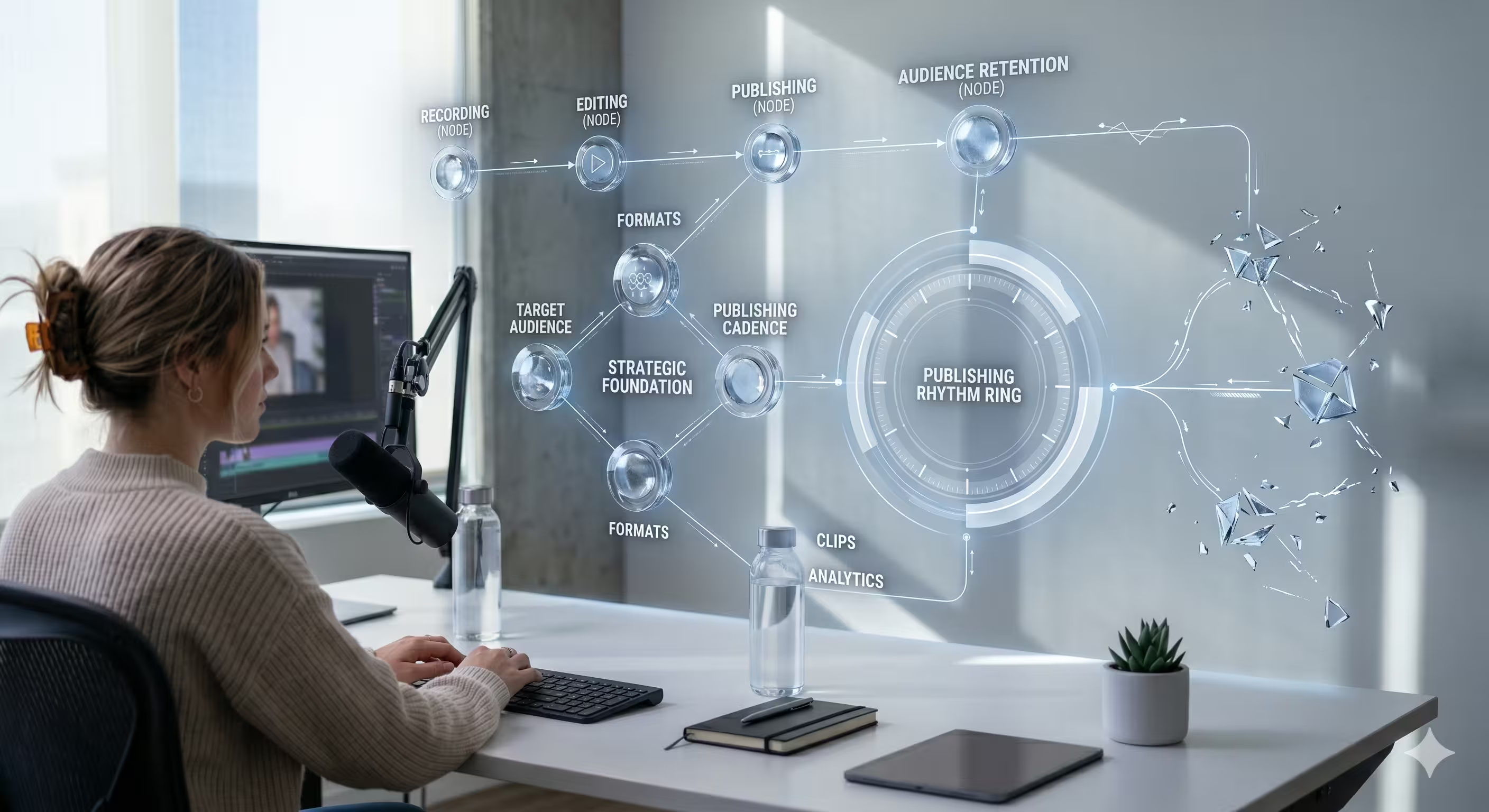
Laying the Strategic Foundation for Your Channel
Most channels fail before the first upload. Not because the creator lacks expertise, but because the channel has no operating logic.
If the content has no sharp audience, no repeatable format, and no posting rhythm, the work gets heavier every week. That’s why new channels need realistic expectations from day one. Only 10% of new channels reach 1,000 subscribers in their first year, and channels posting 1 to 2 times per week grow 4x faster according to YouTube’s creator guidance. The same source notes that poor audio causes a 40% audience drop-off in the first 30 seconds (YouTube creator guidance).
That should change how you plan the channel.
Start with the business outcome
A corporate channel usually serves one of a few jobs:
- Authority building for a founder, executive, or technical leader
- Demand support through educational content that helps buyers trust the brand
- Employer branding for recruiting and culture storytelling
- Customer education that reduces friction after the sale
- Network building through interviews with partners, customers, or industry operators
Pick one primary job first. If you try to make every video serve every audience, the channel becomes vague.
A founder-led B2B channel, for example, often works best when it speaks to a narrow decision-maker set. Not “business people.” More like CFOs at mid-market SaaS companies, HR leaders building distributed teams, or engineering leaders evaluating infrastructure decisions.
Define the audience with enough detail to film for them
You don’t need a bloated persona document. You do need clarity on what your viewer is trying to solve.
Use this simple filter:
- Who is the channel for
- What pressure are they under
- What would make them watch another episode
- What would make them share it internally
That last point matters more than many teams realize. Corporate YouTube works when viewers can send a video to a colleague and say, “This is exactly what we’ve been discussing.”
Practical rule: If you can’t describe the person your episode is for in one sentence, the topic is still too broad.
Build a series, not isolated uploads
The biggest planning mistake I see is treating each upload as a fresh invention. That burns time and kills consistency.
A better model is to create content lanes. For example:
- Expert interviews when you want network effects and borrowed credibility
- Solo explainers when a leader has clear expertise and a strong point of view
- Panel conversations when the topic benefits from tension, comparison, or multiple perspectives
- Customer or partner stories when trust matters more than pure reach
Each lane should answer a recurring viewer need. Then map topics in clusters so one episode naturally leads to the next.
A channel becomes easier to run when you can say, “Every month we publish two leadership interviews, one tactical explainer, and one market commentary episode.” That’s a system.
If you need examples of how brands turn this into a consistent publishing engine, this breakdown of content creation for brands is a useful reference point.
Choose the format your team can sustain
A lot of leaders choose format based on taste instead of workflow reality.
That’s backward.
The right format is the one your team can produce repeatedly without causing internal drag. A polished remote interview show is often easier to sustain than trying to script a cinematic brand video every week. A solo thought leadership format can work well when the speaker is disciplined and can record in batches. A roundtable can look strong, but it adds scheduling complexity fast.
Ask practical questions early:
- Can this host record consistently?
- Can guests be booked without a large operations burden?
- Will editing stay manageable as volume grows?
- Can this format produce clips for LinkedIn, Shorts, and internal distribution?
Plan the first run before launch
Don’t launch with one idea and hope momentum appears later.
A more reliable approach is to define your first run of episodes before the channel goes live. That gives your team naming consistency, visual consistency, and enough runway to improve after the first releases.
A simple first run usually includes:
- Anchor topics that represent your core expertise
- Search-friendly problems your audience already cares about
- Point-of-view episodes that sound distinct from generic industry commentary
- Evergreen topics that still make sense months after publishing
The strongest early channels don’t look random. They feel intentional.
Assembling Your Professional Production Setup
Most viewers will forgive a modest set. They won’t forgive bad sound, distracting lighting, or footage that looks unstable and unplanned.
That’s the difference between “expensive” and “professional.” You do not need a massive studio. You do need smart choices.
Audio comes first
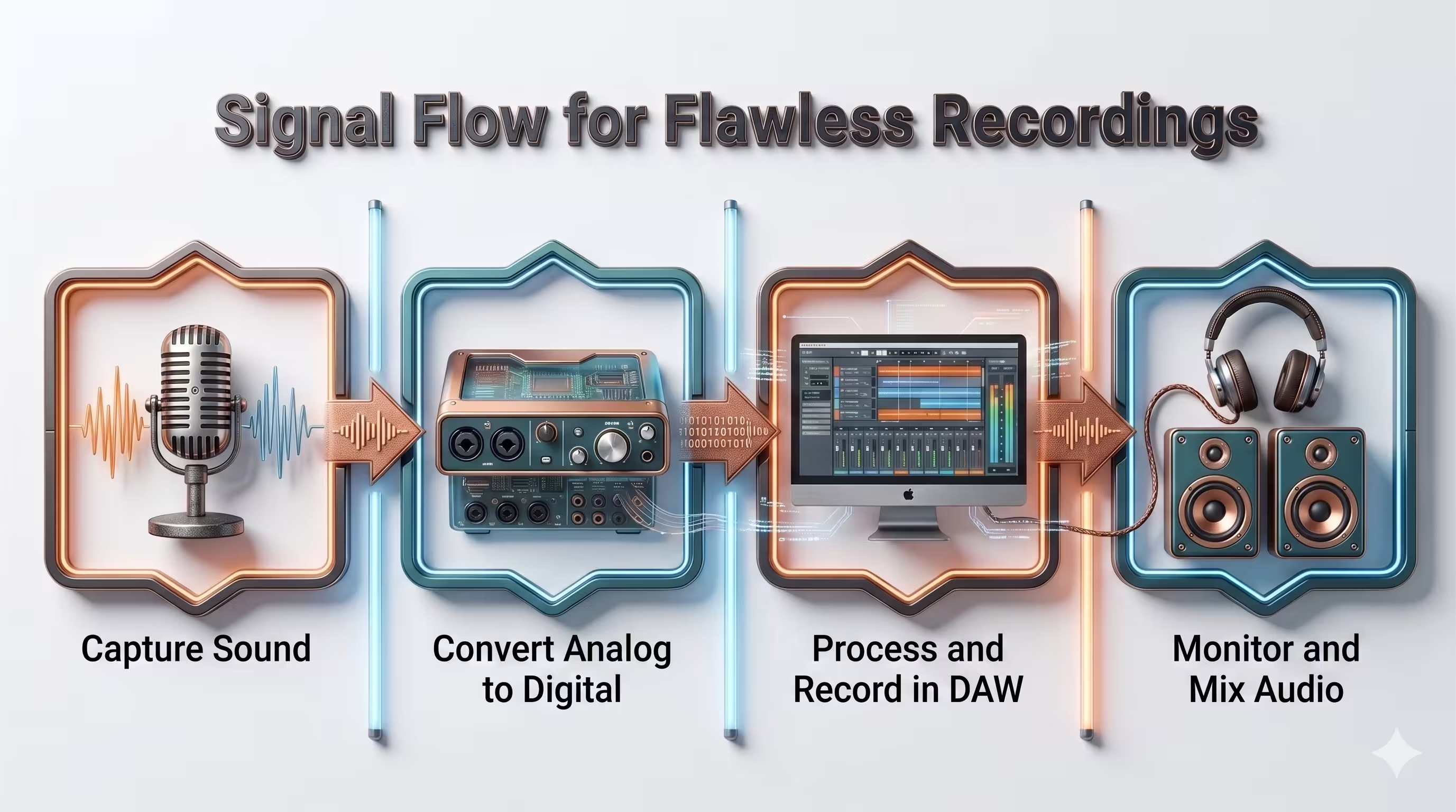
If you’re launching a business-facing channel, audio quality isn’t cosmetic. It signals competence.
For solo recording, a good USB microphone can work when the speaker stays in one position and the room is reasonably controlled. For executives, guests, and interview formats, lavalier setups are often more practical because they preserve consistent sound even when the subject moves naturally.
Use a setup that matches the recording behavior, not the one that looks most impressive on a desk.
A few rules hold up well:
- Keep the mic close enough to capture voice clearly without pushing gain too hard
- Reduce room echo with soft furnishings, rugs, curtains, or acoustic treatment
- Monitor before recording so you catch hum, fan noise, or clipping early
- Prioritize intelligibility over tonal perfection
If you’re evaluating options, this guide to recommended microphones for podcasting is a practical place to start.
Camera choice depends on your format
A smartphone can work. A mirrorless camera can work. A webcam can work.
The right choice depends on framing, reliability, and how much post-production flexibility you need.
Here’s a simple decision view:
For many executives, a well-mounted smartphone with good audio and lighting is stronger than an expensive camera used poorly. The camera matters. The overall chain matters more.
Lighting fixes more than people think
Lighting determines whether your subject looks sharp, trustworthy, and easy to watch.
You don’t need a complicated lighting diagram to start. A clean setup often uses:
- A key light placed at a flattering angle
- A fill approach to soften harsh contrast
- Background separation through distance, practical lights, or subtle accent lighting
Window light can work if it stays consistent. It often doesn’t. For recurring recording sessions, controlled lighting is easier to repeat.
A channel grows faster when every episode looks like it belongs to the same brand, even if the set is simple.
Remote recording needs a real workflow
Many interview-based channels frequently break down. Teams think Zoom recording alone is enough, then discover sync issues, poor guest audio, or compressed footage that looks weak in post.
For remote interviews and video podcasts, use a process that protects quality:
- Send clear guest instructions before the session
- Standardize framing so every guest is shot with usable headroom and eye line
- Check lighting and sound live before starting the actual conversation
- Record clean local tracks when possible
- Leave room for multicam editing, reaction cuts, and branded overlays later
This matters even more if the channel is part of a broader brand strategy. A rushed remote process creates more editing work and weaker final videos.
Don’t overbuild the set
One common mistake is spending too much time on visual decoration and too little on repeatability.
A strong set usually has:
- A stable camera position
- A reliable microphone setup
- Predictable light placement
- A background with depth and minimal distraction
- A teleprompter only if the host needs it
The setup should let someone sit down, record, and get usable footage without improvising each time. That’s what makes a channel scalable.
Building and Branding Your YouTube Home
A familiar scenario plays out after launch. The first few videos are ready, the production setup works, and then a prospect, investor, or potential guest clicks through to the channel page and finds a bare homepage, unclear positioning, and no obvious reason to subscribe.
That page shapes credibility faster than many teams expect.
For a brand, executive, or podcast, your YouTube channel is not just an upload destination. It is an owned media property. It should tell visitors what you publish, who it serves, and how the content is organized before they watch a second video. Teams that treat the channel like a media company asset usually make better decisions about structure, ownership, and repeatable publishing from the start.

Create a Brand Account, not a personal channel
For businesses and public-facing leaders, this decision affects access control, continuity, and handoff.
YouTube’s channel setup guidance recommends creating a Brand Account through Settings > Add or manage channel(s) > Create a channel so multiple owners and managers can access the channel without sharing a personal Gmail login (YouTube Help on creating a channel).
That matters as soon as an editor, producer, marketing lead, or outside production partner needs to publish, review, or update assets. Setting this up correctly at the beginning prevents a messy transfer later, especially when the channel starts as an executive initiative and later becomes part of a broader company content operation.
Set the core brand assets before you upload
Perfection is not the goal. Recognition is.
Start with the assets viewers use to judge legitimacy at a glance:
- Channel name that is searchable and easy to recognize
- Handle that matches the brand as closely as possible
- Profile image that stays readable on mobile
- Banner art that identifies the show, company, or topic fast
- Watermark that fits your existing logo system
Many first-time teams overload the banner with taglines, service lists, and design elements that disappear on smaller screens. A stronger banner does one job well. It confirms where the viewer is and what kind of content to expect.
Write an About section with a clear promise
A common pitfall is writing an About section filled with broad terms like “insights,” “conversations,” or “value” without naming the audience or subject matter.
A useful About section should answer three questions quickly:
- Who is this channel for
- What topics does it cover
- Why should someone subscribe
For example:
This channel publishes weekly interviews and practical explainers for B2B marketing leaders building stronger video strategy, executive content, and repeatable media systems.
That gives the viewer something concrete. It also helps internal teams stay aligned on what belongs on the channel and what does not.
Organize the page like a library
A professional homepage should guide the viewer to the right entry point. Leaving the default layout in place wastes the small amount of attention a new visitor gives you.
Use playlists and sections intentionally:
- Start here for new visitors
- Flagship series for your main show or format
- Topic-based playlists built around audience needs
- Recent uploads for returning viewers
- Popular videos once the channel has enough data to support it
This structure matters even more for executive-led channels and video podcasts. Visitors often arrive through one clip, then check the homepage to see whether the rest of the channel feels organized enough to trust. If your team is also standardizing titles, descriptions, and on-screen text, this guide to adding clear subtitles in Premiere Pro helps keep the presentation consistent across episodes.
A visual walkthrough can help if you want to see the platform flow before building your own channel.
Build the channel so another team can run it
Good branding includes operations.
Store logos, thumbnail templates, naming conventions, description templates, upload defaults, playlist rules, and approval steps in one shared system. Busy leaders rarely want to remain the only person who knows how the channel works, and they should not have to. A scalable channel can survive a new producer, a new editor, or a shift to a managed production partner without losing consistency.
If publishing depends on one person remembering every step, the channel is still fragile.
Mastering Post-Production and Publishing
Raw footage rarely earns attention by itself. Editing creates the viewer experience.
That’s why post-production should never be treated as cleanup. It’s where pacing, clarity, and professional polish are built. For corporate YouTube, that work affects whether a video feels watchable enough to finish and strong enough to share.
Edit for retention, not just correctness
A lot of first-time teams edit with one goal. Remove mistakes.
That’s necessary, but it’s not enough.
Strong editing also handles rhythm. It trims dead space, tightens answers, removes repetitive phrasing, cuts to the right speaker at the right moment, and protects momentum through the first part of the video where audience loss is usually highest.
For interview and podcast formats, this often means:
- Cutting slow starts before the conversation gets interesting
- Using multicam changes to reset attention
- Removing verbal clutter that weakens authority
- Adding lower thirds and topic cards when context helps the viewer
- Preserving natural speech so the final result doesn’t feel robotic
Corporate teams often overedit in one of two directions. They either leave too much in, because every sentence feels important internally, or they cut so aggressively that the conversation loses personality. The right balance keeps credibility while moving decisively.
Build a visual identity in the edit
Viewers notice consistency even when they can’t describe it.
That consistency comes from choices like color grading, intro treatment, lower thirds, subtitle style, framing standards, and how transitions are used. None of these needs to be flashy. They need to be repeatable.
A practical post-production package for a branded channel usually includes:
For teams building subtitles in Adobe workflows, this walkthrough on Premiere Pro subtitles is useful for tightening the process.
Publishing starts with the click
A video can be well shot, sharply edited, and still underperform if nobody clicks.
That’s why thumbnails and titles matter so much. A high Click-Through Rate, ideally above 8 to 10 percent in the initial hours after publishing, is a primary signal to the YouTube algorithm. Professional thumbnails and titles can boost CTR by 20 to 30 percent when tested and refined (YouTube’s guidance on creator metrics).
This changes the publishing workflow. Thumbnail and title creation shouldn’t happen at the last minute.
A strong title does one job well. It creates a clear reason to watch. A strong thumbnail does a different job. It creates visual intrigue and confirms the topic fast. They should work together, not duplicate each other.
Editorial note: Treat the thumbnail like a billboard and the title like the promise attached to it.
Make metadata part of the production process
Publishing is easier when the metadata system is already defined.
That means having templates for:
- Title patterns by format
- Description structures with show info, topic summary, and calls to action
- Tag strategy based on relevance, not stuffing
- End screens and cards that point viewers to the next logical video
- Playlist placement decided at upload time, not weeks later
YouTube rewards coherence. A channel that publishes with structured metadata, consistent art direction, and clear viewer pathways tends to be easier to understand, both for humans and for the platform.
Scaling Your Content and Measuring What Matters
A channel usually looks strongest in the first few weeks. The launch assets are fresh, the first recordings are done, and the team is still operating on momentum. The pressure shows up later, when the calendar fills up, approvals stack up, and nobody has time to chase edits, clips, thumbnails, and uploads.
That is the point where a YouTube channel either becomes a repeatable media operation or starts fading into an occasional marketing task.
Repurpose from one core recording
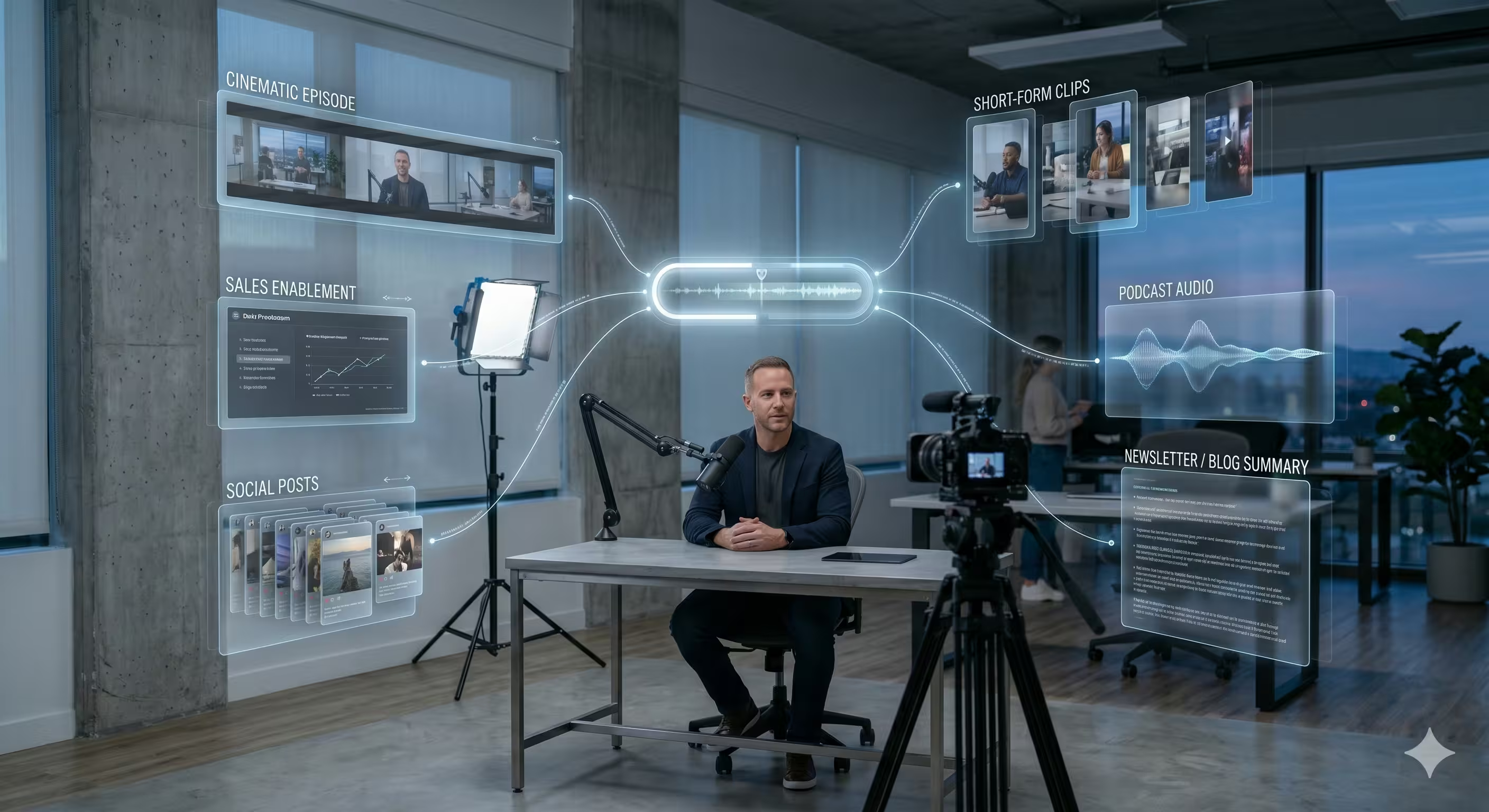
Brands, executives, and podcast teams scale faster when they build around one primary recording session and treat everything else as planned distribution. In practice, that often means a long-form interview, executive briefing, customer conversation, or podcast episode recorded well enough to support multiple outputs.
A single recording can become:
- A full YouTube episode for the core audience
- Short clips for LinkedIn, Shorts, or TikTok
- Quote graphics or carousels for social distribution
- Audio versions for podcast platforms
- Written summaries for newsletters or blogs
- Sales enablement clips for internal use
That structure matters because it changes the economics of the channel. Instead of asking the team to invent fresh content for every platform, you build one strong source asset and distribute it with purpose.
It only works if the recording is planned that way from the start. Clean segment breaks, direct answers, good remote audio, consistent framing, and clear talking points make post-production faster and repurposing more useful.
Watch the KPI that proves the content is working
Views are easy to track and easy to overvalue. For a new professional channel, a better signal is whether viewers decide they want an ongoing relationship with the brand, host, or show.
Successful channels typically convert 3 to 5 subscribers per 1,000 views, which is a 0.3% to 0.5% views-to-subscribers conversion rate (Pixel Valley Studio on YouTube KPIs).
That metric is useful because it tests the actual channel promise. A video can earn clicks from a timely topic and still fail to build audience loyalty. Subscriber conversion shows whether the content, host, and positioning give people a reason to come back.
If views rise but subscriber growth stays flat, the problem usually sits in one of a few places:
- The topic generated curiosity, not commitment
- The channel promise is too broad or unclear
- The audience fit is weak
- The host or format is not distinctive enough to create return viewing
- The videos do not ask viewers to subscribe at the right moments
This is the shift from publishing videos to running an editorial system. Review the last batch, identify what earned repeat interest, then shape the next batch around those patterns.
Consistency is a production issue before it becomes a marketing issue
Teams often label inconsistency as a discipline problem. In practice, it is usually a workflow problem.
The same Pixel Valley Studio analysis notes that inconsistent quality and editing delays are common reasons new channels lose momentum. That matches what happens inside busy companies. Publishing slips when recording prep, approvals, edits, graphics, and scheduling all rely on spare internal capacity.
The operational load is heavier than it looks. Someone has to coordinate guest prep, manage file delivery, review cuts, collect feedback, approve graphics, export platform-specific assets, and make sure the final package gets published on time.
That is why managed production can be the smarter option for leadership teams and brand departments. Editorial control stays in-house. The execution work moves to a team built to handle it consistently.
Production Workflow Comparison DIY vs. Managed Service
One option in this category is micDrop, which provides guided remote recording, multicam editing, sound design, motion graphics, repurposing, and publishing support for branded video channels and video podcasts. For teams that want to keep creative direction in-house while removing operational bottlenecks, that model can make the channel easier to maintain over time.
Build around what the host can repeat
Early growth usually comes from repeatability, not ambition.
Choose a format the host can sustain during a packed quarter. A founder who can record one remote interview each week with light prep will often outperform a polished concept that needs a full internal production cycle every time. A subject matter expert who can batch four episodes in a morning gives the team a workable publishing runway. A branded podcast with remote guest capture and a fixed post-production process is often easier to scale than custom one-off video shoots.
A scalable channel survives schedule pressure, leadership travel, and approval delays without going dark.
That is the standard to design for from day one.
Frequently Asked Questions About Starting a YouTube Channel
Do I need expensive gear to start?
No. You need a setup that produces clear audio, stable framing, and consistent lighting. For many channels, a smartphone or webcam can be enough at the start if the sound and environment are controlled well.
Should I start with Shorts or long-form videos?
For brands, executives, and podcast-style channels, long-form usually gives you a stronger core asset. Shorts work best as repurposed distribution from that core recording, not as the entire strategy.
How many videos should I have ready before launch?
Have more than one. A channel looks more credible when a new visitor can immediately see a body of work and understand the editorial direction. Batch recording early also reduces pressure after launch.
What kind of YouTube channel works best for a company?
The format that aligns with your audience and internal workflow. For many businesses, that means expert interviews, executive commentary, customer education, or a video podcast format that can also feed LinkedIn and other channels.
How do I know if my channel is actually improving?
Track a few signals consistently. Click-through rate shows whether the packaging is working. Retention shows whether the content and editing are holding attention. Views-to-subscribers conversion shows whether the channel is building loyalty.
Is it better to run the channel in-house or outsource production?
It depends on available time, internal production skill, and how important consistency is to the brand. In-house can work when you already have a capable content operation. Outsourcing often makes sense when leaders want to stay focused on expertise, not edit timelines, guest troubleshooting, and export workflows.
What’s the biggest mistake new business channels make?
Launching without an operating system. They focus on the first video, not the next twenty. That leads to uneven quality, slow publishing, and a channel identity that never gets clear.
How do you start your own youtube channel if you’re busy?
Reduce the number of decisions you need to make each week. Pick one audience, one repeatable format, one recording process, and one publishing rhythm. Then protect that system. Simplicity is what makes consistency possible.
If you want to launch a polished YouTube channel without building the whole production workflow yourself, micDrop helps brands, executives, and podcast hosts handle remote recording, editing, repurposing, and publishing through a managed process. It’s a practical option when you want the channel to look professional and stay consistent without turning your calendar into a production schedule.


