10 Video Ideas for Brands & Execs in 2026
Is your content team short on ideas, or short on video formats that are built to perform?**
A packed idea list means very little if every concept turns into the same single-camera talking head. Brands, executives, and podcasters run into this all the time. The topic changes, but the viewing experience stays flat, so retention drops, clips feel repetitive, and distribution teams have very little to repurpose.
The fix is format design.
At micDrop, we see the same pattern in production planning. Teams ask for “more video,” but what they need is a repeatable series structure with clear production rules, post-production outputs, and success metrics. Without that, every shoot starts from zero. Costs rise, approvals slow down, and performance is hard to improve because nothing is standardized enough to compare.
Interesting video ideas in 2026 need to do three jobs well:
- Hold attention fast
- Fit a repeatable production workflow
- Create multiple usable assets from one recording
That changes how ideas should be judged. A good concept is not just creative. It has to support scheduling, filming, editing, distribution, and measurement. It also has to match the person on camera. An executive series needs a different structure than a brand documentary. A podcast clip strategy needs different pacing than a customer case study.
That’s the lens for this list.
These are not generic prompts pulled from a brainstorming board. They are production blueprints shaped for real-world use by marketing teams, founders, in-house content leads, and podcast operators. Each one is framed the way a studio would frame it: what the format is good at, what can go wrong, how to shoot it properly, how to repurpose it, and which KPIs make sense to track. If your team is evaluating corporate video production services for repeatable branded content, this is the level of planning that prevents wasted shoot days.
The goal is simple. Build a video system, not a pile of isolated uploads.
1. Expert Interview Series with Multi-Camera Production
Want a video format that can feed YouTube, LinkedIn, email, and sales enablement from one shoot day?
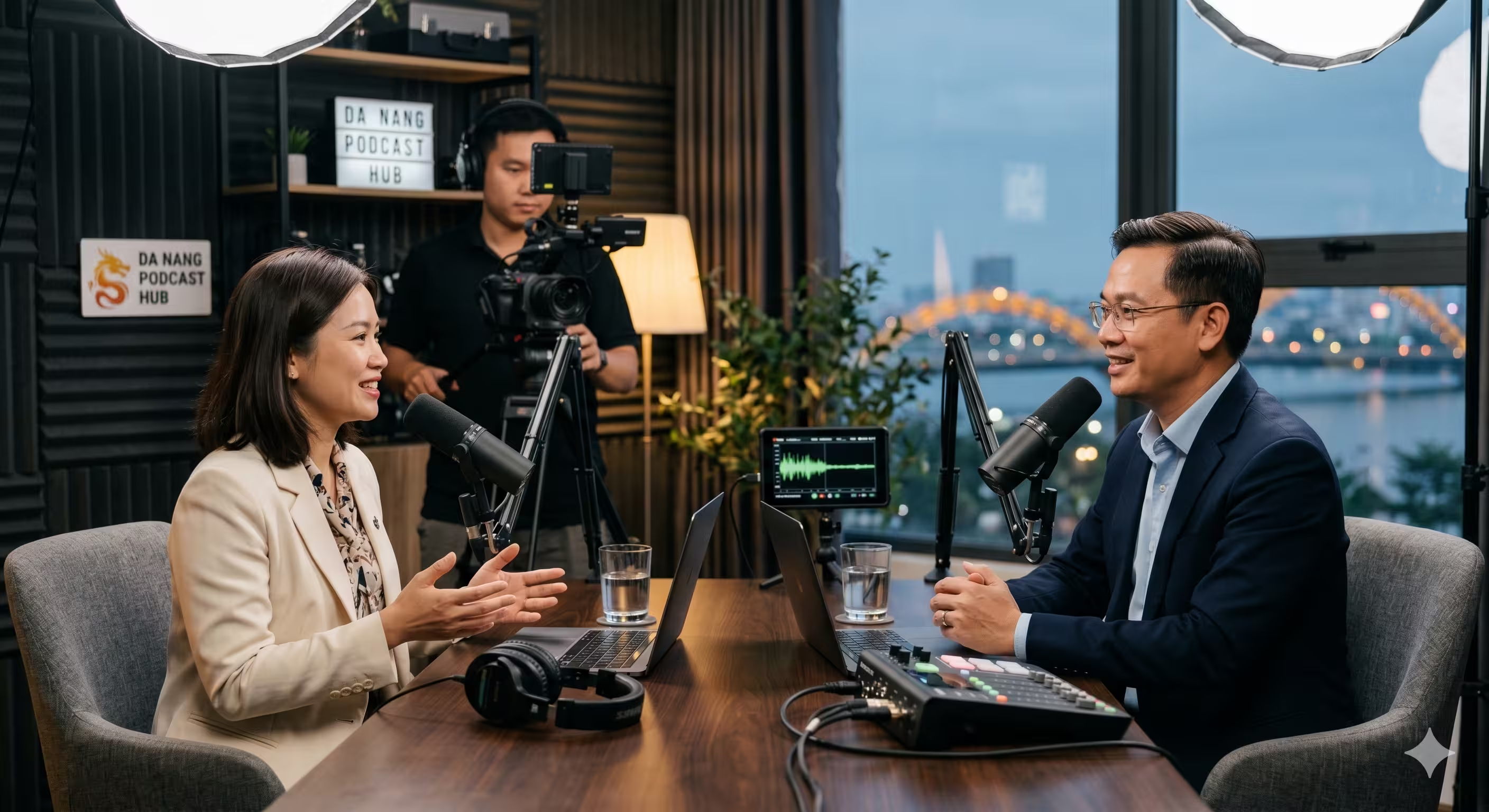
Start with a multi-camera expert interview series. For brands, executives, and podcasters, it is one of the few formats that can build authority over time without forcing the host to carry every episode alone. A strong guest brings earned perspective. A strong host gives the series a point of view. The edit then turns that conversation into a full episode, short clips, quote graphics, and topic-based cutdowns.
Why this format keeps working
Interview content lasts because it does more than fill a content calendar. It captures expertise in a reusable form. One conversation can support executive brand content, audience growth, and mid-funnel trust building at the same time.
LinkedIn’s own guidance for marketers has long positioned video as a strong format for professional engagement and reach on the platform, which is why interview clips continue to show up in B2B distribution plans across founder brands, consulting firms, and media-led companies. A key advantage, though, is operational. Interviews create natural moments for clips. You get reactions, counterpoints, examples, and concise takeaways without scripting every line.
Guest selection decides whether the series feels sharp or forgettable.
Use these filters:
- Strong point of view: Pick guests who can challenge stale advice or explain a real decision.
- Direct operating experience: Founders, executives, and practitioners usually outperform professional commentators.
- Clear clip moments: If the guest cannot explain one difficult idea clearly, the episode will be hard to cut into short-form assets.
I have seen expensive interview shoots underperform for one predictable reason. The team booked for status, not substance. Recognition gets the first click. A clear point gets the rewatch, the save, and the share.
Production notes that actually affect the outcome
A single-camera interview limits the edit fast. Multi-camera coverage fixes that.
At minimum, use:
- Two cameras: One clean angle per speaker.
- Three cameras if possible: Add a wide master for resets, transitions, and pacing control.
- Separate audio for each speaker: Do not rely on camera scratch audio if the content matters.
- A pre-interview call: Confirm stories, examples, and possible disagreement points before shoot day.
The framing needs intent. Give the host and guest distinct backgrounds or depth cues so cuts feel motivated. Add lower thirds that explain why the guest matters, not just their job title. “CFO” is weak. “Led pricing through a category downturn” gives the audience a reason to keep watching.
Teams that produce this format at volume usually get better results with a documented process for prep, set design, audio, and post. That is where corporate video production services for repeatable branded content can reduce wasted shoot days and give marketing teams a format they can run again next month without rebuilding the workflow.
Practical rule: Before recording, define the full episode title, three short-form clip angles, and one quote-worthy takeaway you want from the guest.
Repurposing plan and KPIs
This format works best when the shoot is planned backward from distribution.
A standard asset package looks like this:
- 1 full-length interview for YouTube or your podcast feed
- 3 to 6 short clips for LinkedIn, Reels, Shorts, or TikTok
- 1 to 2 topical cutdowns organized around a single question or theme
- Pull quotes and audiograms for social and newsletter use
- Transcript-derived text posts for the host or brand account
Track the format with the right metrics:
- Full episode watch time
- Clip retention in the first 3 to 10 seconds
- Saves and shares on LinkedIn
- Subscriber or follower growth by episode
- Inbound leads, speaking invites, or sales conversations influenced by specific clips
Real examples include Lex Fridman, The Tim Ferriss Show, Masters of Scale, and the SaaStr Founder Podcast. Different audiences, different pacing, same production truth. The interview succeeds when the conversation is structured well enough to publish once and repurpose many times.
2. Behind-the-Scenes Documentary Series
What would your audience learn if they watched your team work through a real deadline, a real decision, or a real mistake?
That is the difference between a behind-the-scenes documentary and a branded office montage. A strong series captures judgment under pressure. It shows how the company operates when the outcome is still uncertain. For brands, executives, and podcasters, this format works best when the camera follows process, not polish.

At micDrop, the useful version of BTS content usually starts with one question: what is changing, and who has to carry that change? A founder preparing for a launch. An ops lead fixing a broken handoff. A producer rebuilding a show format after weak retention. Those are stories with stakes, and stakes create watchable footage.
What to film
Each episode needs a clear narrative spine. Without it, you get nice-looking fragments that are hard to edit and harder to distribute.
Build episodes around one of these angles:
- A decision in progress: Roadmap changes, pricing shifts, hiring choices, brand repositioning
- A process under pressure: Launch week, onboarding, implementation, event prep, production crunch
- A role with real accountability: The person who owns the result and can explain the trade-offs
Good BTS footage is specific. Viewers should see actual tools, actual conversations, and actual constraints. If the footage could belong to any company, the production did not get close enough to the work.
Production blueprint
This format rewards planning, but over-planning can kill the material.
A practical shoot setup:
- One producer tracking story beats and identifying who to follow
- One camera operator with a mobile setup for offices, warehouse floors, studios, or remote work environments
- Short sit-down reflections before or after key moments to give the editor clean narrative context
- A shot list for process details: screens, whiteboards, Slack alerts, product samples, meeting notes, prep tables, post-event cleanup
The trade-off is simple. You gain credibility, but you lose control. Sound will be messy in some locations. The strongest moment may happen between scheduled interviews. Legal review may take longer if sensitive information appears on screens or in conversation. That is why this format needs a producer who can make editorial calls on set, not just collect footage.
Repurposing plan and KPIs
A documentary series should create more than one long video.
A standard asset package looks like this:
- 1 episode cut for YouTube, a brand channel, or a podcast video feed
- 2 to 4 character-driven clips focused on one person, problem, or turning point
- 1 thematic cutdown for recruiting, employer brand, investor updates, or community building
- Quote cards or transcript posts built from strong lines about process, leadership, or lessons learned
- B-roll libraries the marketing team can reuse in future campaigns
Track performance with metrics that fit the goal:
- Average view duration on the full episode
- Retention on clips featuring conflict or decision points
- Comments and shares that mention trust, transparency, or culture
- Recruiting signals such as candidate quality, inbound interest, or interview conversion
- Sales or partnership feedback when prospects mention the series during calls
Netflix making-of content, founder documentaries, and engineering team story films all follow the same rule. They show how the work gets done.
Practical rule: Capture one unresolved problem, one person responsible for the outcome, and one moment where the plan changes. That is usually enough to build a real episode.
3. Educational Masterclass and Tutorial Series
Want a video series that keeps working after the publish date?
Start with a masterclass. For brands, executives, and podcasters, this format turns in-house expertise into a repeatable asset library. It teaches, qualifies the audience, and gives the sales team content they can send long after the original release. At micDrop, I treat this format less like a single video and more like a curriculum with a distribution plan.
A tutorial series works when the audience has a defined problem and your team can show a repeatable process to solve it. Good subjects include SEO workflows, product onboarding, leadership communication, technical setup, sales call reviews, and customer education. The difference between a forgettable tutorial and a strong masterclass is sequence. Each episode should build on the last one.
A simple example of the teaching format in action:
Build the lesson before you book the shoot
Strong teaching videos are usually won in pre-production.
Set the structure first:
- One outcome per episode. The viewer should know exactly what they will be able to do by the end.
- One framework on screen. Use steps, a checklist, a scorecard, or a decision tree.
- One proof point. Show the process in action through screen capture, live examples, documents, product footage, or before-and-after comparisons.
- One next action. Tell the viewer what to apply, download, test, or watch next.
This format works because video can combine explanation and demonstration in the same moment. Wyzowl reports that viewers often prefer video when learning about a product or service, which matches what production teams see in practice during onboarding and training (Wyzowl video marketing statistics). The advantage is not animation for its own sake. The advantage is clarity. Viewers can hear the rationale and see the process at the same time.
Production choices that make the lesson easier to follow
Educational content falls apart when the visuals stay static or the presenter teaches from memory. Good instruction needs pacing, labeling, and clear visual transitions.
Use production choices that support comprehension:
- Curriculum outlines before recording
- Teleprompter copy or bullet prompts for key teaching points
- Screen recordings captured separately at full resolution
- On-screen labels for frameworks, steps, and definitions
- Close crops, callouts, and punch-ins to direct attention
- Examples from real workflows, not generic filler footage
- Tight edits that remove recap loops and dead setup
Trade-offs matter here. A polished studio setup improves authority, but too much polish can make practical instruction feel scripted and distant. A looser screen-share format feels faster and more authentic, but weak audio, cluttered slides, or sloppy pacing will hurt retention. The right choice depends on the role of the series. Executive education usually needs cleaner framing and stronger brand control. Product tutorials can be more direct if the walkthrough is sharp.
What to avoid
A lot of tutorial series miss because the subject-matter expert is credible, but the episode design is weak.
Common failures:
- Teaching while thinking out loud
- Trying to cover a full discipline in one video
- Skipping examples
- Using slides that repeat what the speaker already said
- Leaving jargon undefined
- Keeping the same camera angle for too long
Good references include LinkedIn Learning style course production, Neil Patel’s training videos, and Crash Course. Different tone, same discipline. Clear modules, visual movement, and respect for the viewer’s time.
Repurposing plan and KPIs
A masterclass should feed more than one channel. One recording block can produce a full episode, a gated lead magnet, sales enablement clips, onboarding modules, and short social excerpts if the series is planned correctly. That is why a defined content repurposing workflow for video teams matters before cameras roll.
A practical asset package looks like this:
- 1 full tutorial episode for YouTube, a resource hub, or a learning center
- 3 to 5 short teaching clips built around one tactic, mistake, or framework
- 1 lead capture asset such as a worksheet, checklist, or template tied to the episode
- 1 internal enablement cut for sales, customer success, or onboarding
- Transcript-based posts for LinkedIn, newsletters, or knowledge base content
Track results against the job this series is supposed to do:
- Average view duration on each full lesson
- Completion rate on videos tied to onboarding or product adoption
- Template downloads or CTA clicks
- Inbound leads from high-intent educational pages
- Sales usage, including whether reps send the videos and prospects mention them
- Support deflection, if tutorials answer repeat questions before a ticket gets opened
For brands, this is one of the strongest interesting video ideas because it creates durable value. A good masterclass does not rely on novelty. It helps the right audience solve a real problem, and it gives your team a repeatable production system instead of another one-off upload.
4. Short-Form Clips Compilation with Repurposing Strategy
What separates a clip program that drives pipeline from one that just fills a content calendar?
Editorial intent.
Short-form clips work when they are planned as standalone assets during production, not salvaged in a rushed edit pass. At micDrop, that usually means producers mark candidate moments live, hosts leave clean in and out points, and camera framing stays tight enough for vertical crops without destroying eye line or composition. The result is faster post-production and clips that make sense without extra context.
What earns attention in-feed
A strong short-form clip usually does one job well:
- Makes a clear argument
- Teaches one usable idea
- Shows a change in perspective
- Pulls one memorable story beat from a longer conversation
Analysts at Wistia found that shorter videos tend to hold attention better than longer ones, which is one reason clipped segments often outperform full episodes on social distribution (Wistia video length analysis). That does not mean every clip should be as short as possible. It means the idea has to resolve fast.
In practice, highly specific clips often travel farther than broad motivational snippets. A CFO explaining one budgeting mistake, a founder disagreeing with a common industry take, or a podcast guest telling one sharp story beat usually beats a vague “3 tips for success” edit.
Build a clip system, not a pile of exports
The teams that get real value from short-form set rules before they publish. That is the difference between occasional reach and a repeatable distribution engine.
A production blueprint that works:
- Record for clipping. Frame shots with vertical and square crops in mind. Leave clean pauses between answers. Ask for concise restatements when a good point gets buried.
- Tag clips by function. Use categories like point of view, lesson, objection handling, founder story, customer insight, or myth-bust.
- Edit for platform behavior. LinkedIn needs a stronger text hook. Reels and TikTok need faster visual pacing. YouTube Shorts can tolerate a slightly slower setup if the payoff is strong.
- Write captions with intent. The first line should carry the premise even with sound off.
- Map each clip to an outcome. Some clips should send viewers to the full episode. Others should support demand gen, executive branding, recruiting, or sales follow-up.
If the backlog keeps growing, a documented video content repurposing workflow for recurring short-form output saves hours and keeps quality consistent across channels.
Repurposing strategy by content type
Different source material creates different clip opportunities. Treating every long-form recording the same is where quality drops.
- For brands: Pull customer pain points, category opinions, product education snippets, and proof moments for paid and organic use.
- For executives: Prioritize conviction clips, decision-making frameworks, and market commentary that strengthen authority.
- For podcasters: Extract story turns, disagreements, surprising admissions, and single-question teaching moments that can pull new listeners into full episodes.
One recording session can produce:
- 6 to 12 social clips
- 2 to 3 sales follow-up videos
- 1 founder or host highlight reel
- Several quote cards or transcript posts
- A traffic path back to the full episode, newsletter, or landing page
Common mistakes that kill performance
A lot of weak short-form fails for predictable reasons:
- Pulling only the loudest moment instead of the clearest one
- Posting the same edit everywhere without changing hook, framing, or captions
- Leaving out context so the viewer cannot understand the point in the first three seconds
- Using trailer-style clips that tease but never deliver
- Ignoring brand standards on subtitles, pacing, and thumbnails, which makes the series feel inconsistent
The test is simple. A good clip feels complete on its own and useful to someone who never saw the full recording.
Track performance with the metrics that match the job:
- Hold rate in the first 3 seconds
- Average watch percentage
- Shares and saves
- Profile visits or episode clicks
- Qualified traffic to a landing page
- Sales team usage for outbound or follow-up
Short-form earns its place when each clip has a role, a format, and a destination. That is how it becomes a content system instead of leftover footage.
5. Product Launch Documentary and Demo Series
Why do so many launch videos get attention on release day, then disappear from the sales process a week later?
The format is usually the problem. Teams pour budget into a single hero edit, then expect one video to build anticipation, explain the product, answer objections, and help sales close deals. It rarely works. A launch series performs better because each asset has one job.
For brands, execs, and podcasters launching a product, offer, or new show format, the stronger play is to document the release from the customer problem through the product experience. At micDrop, that usually means treating the launch as both a campaign and a content library. One set of shoot days can feed the announcement, the website, outbound, investor updates, and post-launch nurture.

Build the launch as a video package
A practical production plan includes four parts:
- Launch film: A story-driven piece for the homepage, social announcement, or keynote opener. Keep it focused on the problem, the shift, and the payoff.
- Demo cuts: One video for each primary use case, workflow, or buyer question. Short beats crowded.
- Founder, executive, or product lead explainer: Useful for credibility, context, and media distribution. This works especially well when the product category is new or misunderstood.
- Customer or beta-user reactions: Specific proof beats broad praise. Get concrete about what changed, what got faster, or what became easier to measure.
Short product videos often outperform text-heavy explanation because buyers want to see the product in action before they commit time to a longer evaluation. HubSpot's video marketing research consistently points in that direction, especially for product education and conversion-focused content (HubSpot video marketing statistics).
What to film before launch week
The strongest launch footage is captured early. Once the product is already live, the team can still make demos, but it cannot recreate the tension, debate, and decision-making that gave the launch a story.
Record:
- Problem framing sessions with product, sales, or customer success
- Prototype reviews that show what changed and why
- Beta-user feedback with direct reactions, not polished testimonials
- UI and hands-on shots with planned camera moves and screen capture
- Before-and-after workflows that make the improvement obvious in seconds
That early footage does two jobs. It gives the launch film substance, and it gives the team raw material for future case studies, hiring content, and anniversary retrospectives.
Production trade-offs that matter
This format looks simple. It is not.
If the product changes daily, filming too early creates rework in post. If you wait too long, the story disappears and the team ends up with screen recordings plus a few office sound bites. The fix is a staged plan. Capture documentary footage during the build, then schedule the polished demo shoot once the interface is stable enough to lock key flows.
A few production notes make a big difference:
- Script the demo around user outcomes, not feature menus
- Use separate shoots for cinematic product footage and screen capture
- Get clean audio from the founder or PM, because weak sound makes the whole launch feel cheaper
- Plan vertical, square, and widescreen framing at shoot time if repurposing matters
- Approve message hierarchy early so legal, product, and marketing are not rewriting the edit at the end
Common mistakes that weaken launch performance
These show up often:
- A hero video that looks expensive but never shows how the product works
- One overloaded demo trying to explain every feature
- Messaging centered on the company milestone instead of the buyer outcome
- No proof of real usage, only motion graphics and abstract claims
- No post-launch cutdowns for paid social, email, sales follow-up, or onboarding
A good launch series keeps the emotional story and the practical proof in separate assets. That makes the content easier to watch and easier to use.
Repurposing plan and KPIs
Through repurposing, launch content earns its keep after announcement day.
One production cycle can produce:
- 1 homepage or keynote launch film
- 3 to 5 demo videos by use case
- 6 to 10 paid and organic cutdowns
- Short founder clips for LinkedIn or email
- Sales enablement videos for follow-up and objection handling
Track results by asset type:
- Launch film: View-through rate, branded search lift, press or social pickup
- Demo videos: Product page engagement, click-through to trial or booking flow, watch completion on key sections
- Founder or PM explainer: Landing page conversion assist, reply rate in outbound, audience retention
- Customer reaction clips: CTR, influenced pipeline, and sales team reuse
The goal is not a flashy launch-day spike. The goal is a set of videos that explains the product clearly, supports revenue after the announcement, and stays useful long after the release date.
6. Roundtable Discussion and Panel Debate Series
Want a format that can produce one flagship episode, a month of short clips, and a clear point of view for your brand? A well-run roundtable can do that. A weak one turns into four executives agreeing with each other on camera.
This format works when the conversation has real tension and a clear editorial angle. For brands, exec teams, and podcasters, that usually means picking a topic with active disagreement, then casting panelists who represent different incentives, not just different job titles. At micDrop, the production challenge is rarely camera coverage alone. It is shaping a discussion that creates usable moments without feeling staged.
Build the panel around conflict, not credentials
Strong panels are designed before anyone sits down.
Use a mix like this:
- Different roles: Founder, operator, buyer, consultant, host
- Different incentives: Someone selling the solution, someone approving budget, someone responsible for implementation
- Different risk tolerance: One cautious voice, one aggressive voice, one practical middle ground
- Different communication styles: One concise speaker, one storyteller, one skeptic
The fastest way to flatten a panel is to invite people with matching opinions and polished media training. The audience does not need four versions of the same answer. They need contrast, examples, and some pressure on the assumptions.
Treat it like an editorial production, not just an event recording
A roundtable should not depend on spontaneous chemistry alone. It needs structure.
Set up the session with:
- A clear thesis: What question is this panel trying to answer?
- A segment map: Opening stance, challenge round, examples, audience questions, closing takeaways
- Prompt sequencing: Start specific, then widen the discussion
- A moderator brief: Who to press, who to shorten, who needs a direct follow-up
- Clip targets: Pre-identify 6 to 10 moments you want for post-production
This matters even more if the panel is recorded live and published later. Earlier in the article, we noted that live-style formats often generate strong engagement. The practical takeaway is simple. Use the pace and urgency of a live conversation, then edit for clarity afterward.
Production notes that make the footage usable
Panels create more editorial options than a standard interview, but only if the coverage supports the edit.
Use:
- At least three cameras: one wide, two singles, or four cameras if the panel has more than three guests
- Isolated audio for every speaker: lavs or dedicated tabletop mics, not one room mic
- A moderator with an IFB or live producer cues when timing is tight
- Name IDs and lower thirds kept consistent across the whole series
- Cutaway planning: audience reactions, host notes, hands, side angles, arrival footage if this is part of a larger event
Wide shots alone kill clip value. Social cutdowns need facial reactions, interruptions, and clean punch-ins. If the goal is to repurpose the panel into LinkedIn clips, podcast video segments, YouTube chapters, and sales content, the edit needs options.
What good moderation looks like on set
The moderator controls the energy, the pacing, and the usefulness of the final edit.
Good prompts:
- What are smart teams still getting wrong about this?
- What changed your mind in the last 12 months?
- Where does this strategy break in real implementation?
- What advice sounds good in theory but fails in practice?
Good moderation moves:
- Cut bios to one line per person
- Call on a skeptic early
- Push for one concrete example before allowing abstraction
- Interrupt politely when an answer stops moving
- Force a choice when everyone starts hedging
Poor moderation creates the same problem every time. Long setup, vague trend talk, and no memorable clip.
Repurposing plan and KPIs
This format earns its value in post.
One panel shoot can produce:
- 1 full-length hero episode for YouTube or your site
- 1 audio-first podcast version
- 5 to 8 topical short clips by disagreement point
- 2 to 3 quote graphics or caption-led social posts
- 1 sales or internal enablement cut focused on buyer objections
- 1 event recap if the panel was part of a conference or company gathering
Track performance by output:
- Full episode: average view duration, chapter drop-off, subscriber or follower growth
- Short clips: retention in the first 3 seconds, saves, shares, comment quality
- Podcast version: completion rate, downloads, listener drop-off by segment
- Sales or exec use: reuse by team, watch rate in follow-up sequences, influenced conversations
The trade-off is real. Panels take more prep than a standard interview and more discipline in the room than a casual conversation. But when the topic is right and the moderation is sharp, you get authority, repeatable clips, and a stronger editorial identity than a generic talking-head series can deliver.
7. Employee Spotlight and Personal Brand Series
Who on your team already has the credibility your brand keeps trying to manufacture in generic culture content?
Employee spotlight videos work best when they answer a practical question about the business through one person’s experience. A solutions architect can explain why implementations stall. A recruiter can show what strong candidates do differently. A product designer can walk through a decision that changed the user experience. That gives you recruiting content, brand trust, and internal clarity from the same shoot.
Wistia’s video marketing research found that businesses continue to increase video output year over year, which raises the bar for generic employer-brand content (Wistia State of Video report). A recurring employee series stands out because it puts expertise, judgment, and personality on camera instead of recycling company claims.
At micDrop, I’d treat this as a repeatable editorial format, not a one-off HR asset. The goal is to build two forms of credibility at once:
- Company credibility through real operators
- Individual credibility through visible expertise
Build each episode around one clear angle
The strongest episodes do not try to cover a person’s whole career. They focus on one usable story.
Good episode angles:
- How this person solves a specific problem
- A decision that tested their judgment
- What people misunderstand about their role
- The standard they use to judge good work
- A lesson they learned the hard way
That structure keeps the piece useful for external audiences and watchable for internal teams.
Production notes that keep it human
This format gets stiff fast if the setup feels corporate. A polished image is fine. A rehearsed personality is not.
What to do:
- Film in the employee’s actual environment
- Use prompts, not scripts
- Capture task-based B-roll tied to their story
- Keep branding light so the person stays central
- Record a few short answers vertically for social distribution
Useful prompts:
- What problem do you handle that others rarely see?
- What part of your job gets oversimplified?
- Tell me about a call you had to make with incomplete information
- What kind of work makes you feel proud to put your name on it?
What to avoid:
- Forced praise about company culture
- Generic origin stories with no point
- Stock office visuals that could belong to any brand
- Editing that removes the speaker’s natural rhythm
The trade-off is control versus credibility
Some teams get nervous here, and for a fair reason. The more natural the interview feels, the less tightly controlled the messaging becomes.
That trade is usually worth it.
A real employee explaining real work carries more weight than a polished values reel. The fix is not tighter scripting. The fix is better pre-interviews, a clearer episode angle, and sharper editorial judgment in post.
Repurposing plan and KPIs
One employee shoot can support more than recruiting.
A smart post-production package includes:
- 1 full spotlight video for YouTube, LinkedIn, or your careers page
- 3 to 5 short clips built around one sharp takeaway each
- 1 audio cut if the conversation works in podcast feeds
- Quote cards or caption posts for LinkedIn
- Internal onboarding or sales enablement clips if the subject explains process well
Track results by use case:
- Recruiting: application quality, time on page, candidate mentions in interviews
- Brand: watch time, shares, comments that reference expertise, follower growth from the employee’s network
- Internal: reuse in onboarding, team shares, leadership requests for additional profiles
- Personal brand: profile visits, inbound speaking requests, podcast invites, connection growth on LinkedIn
Done well, this series gives your brand a face people remember. More important, it gives your audience a reason to trust that face.
8. Rapid-Fire Tips and Hacks Series with Quick Turnaround
Need a format you can record in under an hour and still publish for weeks?
This is one of the most efficient series models we build for executives, brand teams, and podcasters who have real expertise but very little calendar space. The format is simple: one narrow problem, one clear fix, one useful example. Done right, it creates repeatable content without turning every shoot into a full production day.
As noted earlier, audiences want more video from brands. Short educational clips fit that demand well because they respect attention. They also fit the production reality many teams face. Faster editing tools and templated workflows make quick-turn series more practical, but speed only helps if the idea is sharp.
Keep each episode painfully specific
Broad advice dies in edit.
The strongest rapid-fire episodes answer one question the viewer already has:
- How do I open a sales call without sounding scripted?
- What should go on the first slide of an investor update?
- How do I stop a podcast intro from dragging?
- What is one fix for muddy webcam audio?
That level of specificity does two things. It improves retention because the viewer knows exactly what they will get. It also makes batching easier because the speaker is solving one problem at a time instead of trying to cram a full workshop into 45 seconds.
A strong episode structure is short and disciplined
Use a repeatable structure your editor can cut fast:
- Hook with the problem in the first line
- State the fix in plain language
- Show or describe one example
- Close with one action the viewer can try today
A weak version sounds like motivational filler. A strong version sounds like a field note from someone who has done the work.
At micDrop, this is usually where production discipline matters more than production scale. Fancy edits do not save a vague point. Clean framing, strong audio, fast captions, and a predictable format do.
Production blueprint for quick-turn shoots
This series works best when the recording process is standardized.
A practical setup:
- Batch 10 to 20 prompts in one session
- Use one camera angle unless a demo needs a cutaway
- Keep lighting and background consistent across the whole batch
- Pre-write the opening line for every tip
- Record clean room tone and a safety take for each answer
- Build one caption style, one intro sting, and one export preset
The trade-off is straightforward. More standardization gives you faster post-production and a steadier publishing cadence. It can also make the series feel repetitive if every episode looks identical. The fix is small variation. Change the on-screen example, switch props, rotate topics by audience segment, or alternate between direct-to-camera advice and screen-record walkthroughs.
Repurposing plan and KPIs
One batch shoot should feed more than one channel.
A useful post-production package includes:
- 10 to 20 short vertical clips for LinkedIn, Instagram, TikTok, or YouTube Shorts
- Square or horizontal cutdowns for platforms where vertical is not ideal
- A themed compilation episode from 5 to 7 related tips
- Text posts, carousels, or email content pulled from the strongest lines
- Audio extracts if the advice also fits a podcast feed
Track performance by business goal:
- Audience growth: completion rate, saves, shares, follower growth
- Authority: comments that mention relevance, inbound speaking or guest requests, profile visits
- Demand gen: clicks to offer pages, demo inquiries, lead quality from social traffic
- Operational efficiency: cost per usable clip, turnaround time, number of publishable assets per shoot day
This format looks lightweight on the surface. In practice, it is one of the clearest ways to turn expert knowledge into a repeatable content engine.
9. Customer Success Story and Case Study Video Series
What makes a buyer believe a case study video instead of dismissing it as polished marketing?
A credible customer story answers the questions buyers ask during evaluation. What problem were they trying to solve? Why did the old approach fall short? What changed during rollout, and what results showed up after the team had time to use the product in real conditions? If those details are missing, the video may look polished and still fail to influence pipeline.
For brands, execs, and podcast-led media teams, this format works best as a series, not a one-off testimonial. At micDrop, the strongest case study programs are built like editorial assets. Each episode follows a repeatable structure, but the proof comes from the customer’s language, workflow, and decision process.
Build the story around proof, not praise
The interview should surface specifics the audience can verify mentally, even when the customer cannot share exact numbers publicly.
A strong episode usually covers:
- The business context before the purchase
- The trigger that forced action
- What other options were considered
- How implementation went
- The internal objections or friction points
- What improved after adoption
- What the customer would tell a peer evaluating the same category
That middle section matters more than many teams think. Buyers trust stories that include constraints, delays, and trade-offs. A clean success arc with no friction often feels scripted.
Production notes that raise trust
This series needs more than a single interview setup.
Use:
- The customer in their real environment, not a generic backdrop
- B-roll of the workflow, team interactions, product usage, or service delivery
- Cutaways to dashboards, documents, or process visuals where approvals allow
- Timeline graphics to show rollout stages and time-to-value
- A second interview voice when useful, such as the operator, customer lead, or implementation owner
Avoid:
- Pure talking-head edits with no visual proof
- A brand-written script the customer would never say naturally
- Claims that sound inflated because legal removed all detail
- Overuse of executive soundbites when the day-to-day user tells the more believable story
If the customer cannot approve exact performance numbers, keep the language concrete anyway. Say what changed operationally. Shorter onboarding. Fewer manual steps. Faster reporting. Better handoff between teams. Specific qualitative outcomes still carry weight.
Series structure, repurposing, and KPIs
One customer interview can produce a full content package when the edit is planned properly. A professional video editing service for case study and testimonial content helps turn one shoot into sales, marketing, and executive assets instead of a single hero video.
A practical deliverables stack looks like this:
- One flagship case study episode for the site, YouTube, or sales follow-up
- Two to four objection-handling clips built around pricing, rollout, adoption, or ROI
- Short vertical cuts for LinkedIn and paid social
- Pull quotes and transcript excerpts for email, landing pages, and sales decks
- Audio excerpts if the story also fits a branded podcast feed
- A themed playlist by industry, use case, or buyer role
Measure this series against business use, not views alone:
- Sales enablement: watch rate from outbound follow-up, reply rate after send, influenced opportunities
- Pipeline quality: demo requests from case-study pages, time on page, assisted conversions
- Buyer confidence: comments, direct messages, and sales-call feedback that reference the story
- Production efficiency: number of usable assets per shoot, approval time, cost per published deliverable
Teams usually get the best results when they treat customer stories as proof assets with a publishing system behind them. Done well, this series supports demand generation, shortens sales conversations, and gives the brand a bank of evidence that keeps working long after the first release.
10. Live Stream Event Recording with Post-Production Polish
Want your webinar, keynote, or live podcast to keep working after the event ends? Treat the stream as the capture stage, not the finished product.
Live video creates urgency and audience interaction. It also creates messy source material. Speaker audio shifts, screen shares take over the frame, transitions drag, and audience questions often need tightening before the replay is worth publishing. Brands that get real value from live events plan for post-production before they go live.
Why this format earns a place in your content plan
A polished event replay can do jobs that a one-off live stream rarely does on its own:
- Turn a time-bound event into an on-demand asset library
- Give executives a long-form authority piece without booking a second shoot
- Feed sales, marketing, and customer education with clips from one session
- Extend the shelf life of webinars, town halls, AMAs, and conference talks
From a studio perspective, this format works best when the brief includes both phases: live capture and editorial cleanup. That is the difference between a replay people abandon after two minutes and a finished program people watch.
Production blueprint
Before you go live
- Take a clean direct audio feed and a backup recording
- Record isolated speakers when the platform allows it
- Build title cards, lower thirds, and holding slides in advance
- Assign a producer to log timestamps for strong answers, audience questions, and technical issues
- Script the first 30 seconds and the closing CTA so the replay has a clean open and finish
During the event
- Prioritize audio over everything else
- Keep slide layouts readable for replay viewers, not just live attendees
- Capture room tone, audience reactions, or alternate angles if the event is in person
- Watch for sections that will cut into standalone clips later
After the event
- Trim dead air, resets, late starts, and repeated explanations
- Rebuild pacing so the replay feels intentional
- Add chapter markers, speaker IDs, captions, and supporting graphics
- Replace weak transitions with B-roll, slides, or branded visual frames
- Export a full replay, mid-length thematic cuts, and short social clips
A good professional video editing service for live event recordings helps teams publish faster without leaving the replay in a rough, half-finished state.
What to repurpose
One well-run event can produce more than a single archived video:
- Full on-demand replay for YouTube, Vimeo, or a gated resource hub
- Topic-based clips for LinkedIn and email follow-up
- Short answers from the Q&A for social distribution
- Audio pulls for a branded podcast feed
- Quote graphics and transcript excerpts for recap posts
- Internal cuts for sales teams, recruiting, or customer onboarding
This format is especially useful for brands, executive teams, and podcasters already investing in live programming. The footage already exists. The return comes from editing it into assets people can find, watch, and reuse.
KPIs that matter
Track this series like an asset system, not a one-time event upload:
- Replay watch time and completion rate
- Clip-level engagement after the event
- Registrants who convert from live attendance to on-demand viewing
- Pipeline influence from replay pages or follow-up emails
- Asset yield per event, including clips, quotes, and audio extracts
- Turnaround time from livestream end to published replay
Common mistakes
- Posting the raw stream untouched
- Leaving inconsistent audio in the final edit
- Letting slide decks dominate the screen for long stretches
- Skipping captions and chapters
- Publishing one full replay without a repurposing plan
The live event creates the moment. Post-production turns that moment into a usable media asset with a longer shelf life and clearer business value.
10 Video Series Ideas Comparison
From Idea to Impact Your Next Steps
Which format can your team produce every month without turning production into a bottleneck?
That is the question that usually separates a video series that compounds from one that stalls after three uploads.
Teams rarely run out of ideas. They run into workflow problems. Too many one-off concepts, unclear ownership, long approval chains, weak distribution, and no plan for turning one recording into multiple assets. The most important rule is focus.
Start with one format tied to one business goal.
- Authority: Choose expert interviews or educational masterclasses
- Trust: Choose employee spotlights or behind-the-scenes documentaries
- Reach: Choose short-form clip systems built from a strong long-form recording
- Sales support: Choose customer success stories or product launch demos
That kind of restraint saves money, protects consistency, and makes post-production easier to standardize.
A good test is simple. Can the format hold up for six episodes? Can the same host, guest type, and production setup deliver usable footage every time? Can your editor pull clips, thumbnails, captions, and platform cuts from each session without rebuilding the process from scratch?
Use four filters before you commit:
- Business fit: Does the series support awareness, trust, recruiting, sales enablement, or conversion?
- On-camera fit: Does the speaker have clear points of view and enough range to sustain a series?
- Production fit: Can your team record it on schedule with the gear, crew, and approval process you have?
- Repurposing fit: Can one shoot create long-form episodes, vertical clips, social posts, and sales assets?
Then record a pilot batch.
Two or three episodes are usually enough to expose the weak spots. Watch them like a producer, not just a marketer. Check the pacing. Check whether the opening earns attention in the first few seconds. Check whether the visuals change often enough to hold interest. Check whether the host asks follow-up questions that create clip-worthy moments instead of generic answers.
Quality matters at the baseline level now. Audiences will tolerate a simple set. They will not tolerate muddy audio, flat lighting, wandering answers, or footage that gives editors nothing to work with. Strong production is not about making every video look expensive. It is about giving the format enough structure to perform reliably across platforms.
That is where a studio process changes the result. At micDrop, the useful part is not just recording the session. It is building the production blueprint around downstream use. Multi-camera framing for clip extraction. Guest prep that reduces rambling. Editing templates that speed turnaround. Motion graphics systems that keep the series visually consistent. Publishing workflows that prevent finished episodes from sitting in a folder.
For brands, executives, and podcasters, that operational piece is usually the difference between content that looks promising and content that keeps shipping.
Next step: pick one format from the ten above and pressure-test it before you scale.
- Record a pilot
- Review the footage hard
- Identify what can be standardized
- Cut the first round of repurposed assets
- Track whether the format produces the KPI you care about
If the pilot creates strong source footage, clean clips, and a repeatable edit path, build the series. If it does not, adjust the format before you commit to a full season.
If you want a cleaner path from raw idea to polished show, micDrop helps brands, leaders, and podcasters produce remote-first video content with recording support, editing, repurposing, and publishing workflows built for consistency.


